| New Reply |
Ansoft Maxwell, cannot apply Current Excitation to non planar entity error |
Share Thread | Thread Tools |
| Mar29-12, 01:16 PM | #1 |
| Mar30-12, 12:20 AM | #2 |
|
|
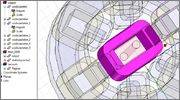
select geometry->modeler->section. You need a coordinate system which will define a surface across element to create cross section. If there will be two cross sections created - separete the bodies (boolean operation). |
| Mar30-12, 04:23 AM | #3 |
|
|
Thanks that worked.
|
| Apr4-12, 07:49 AM | #4 |
|
|
Ansoft Maxwell, cannot apply Current Excitation to non planar entity error
Unfortunitly i have now another problem. Seems like my computer has not a good procesor *** i need for the simulation of my project. So i need service like using a high cpu power server from my home which would solve the analyze and send me the results. For my 2core 2ghz amd procesor it would take days maybe weeks who knows. Do you know anyone who offers service that i need?
|
| Apr9-12, 11:56 AM | #5 |
|
|
Another way to reduce the timing is to use symmetry. Cut your model in half and it will save your time. |
| Apr18-12, 03:05 PM | #6 |
|
|
ok it took a while but worked. Unfortunetly i have an matrix error
It is ignoring the matrix i have made, i dont understand why. In the help guide is writen that i can use matrix on a core (what i did). here is my project http://www.4shared.com/rar/spcbB2Ms/Project2.html |
| Apr18-12, 04:42 PM | #7 |
|
|
Did you get any error like below?
Terminal surface mesh does not fit with conduction path in the following bodies {vodiczarotor}. Please verify them to ensure no bad effect on solutions! The rotor and stator material is metal and conductive, so rotor and vodiczarotor (the center coil) are touching which causes the problem. You need specify the surface as insulator. Click show conduction path, and you will see them. |
| Apr18-12, 04:50 PM | #8 |
|
|
yes, i get that message to. So what i need is t o set all the coil surfaces to isolated, i will try it tomorow, and post here the results.
|
| Apr19-12, 07:22 AM | #9 |
|
|
I added boundery setting to isolation, on the cores but, now i am not getting that message you mentioned.
Here is what messages i get: Maxwell3DDesign1 (Magnetostatic) [warning] Maxwell3DDesign1: Solutions have been invalidated. Undo to recover. (1:48:16 apr 19, 2012) [info] Verify conduction path: Conduction path validate success. (1:50:04 apr 19, 2012) [warning] Matrix cannot have geometry selection. Geometry selection is ignored. (1:50:07 apr 19, 2012) [error] Failed to load 'Matrix1' solution. (2:10:51 apr 19, 2012) [error] Simulation completed with execution error on server: Local Machine. (2:10:53 apr 19, 2012) So I have the problem with this matrix. I am new to maxwell and still learning, so please excause me if i aske dumb questions. Maybe i dont quite understand what matrix is been used for. I thing it can memorize the magnetic induction in the steel (the steel part around witch the coil is set). After i will use parametric analyse to rotate the rotor from zero to 90 degrees with 5 degree steps, so i wan to have all that mesurments in the matrix saved, so i can modifie the informations in matlab. Here is the project again http://www.4shared.com/rar/tDd1hAIn/Project2_2.html |
| Apr19-12, 11:00 AM | #10 |
|
|
In your case, Matrix here is inductance of the center coil. You can do what you described.
Your project2-2, run as it, I don't have any errors, and Matrix is 437nH. This number is for one turn winding inductance. You can specify the total winding turns and look at the postprocessed inductance. However, a few things I don't know for sure. I would assume this is 50Hz or 60Hz application, so skindepth is not relevant here. Also, you have so many mesh operation defined, I don't see the point of necessary. Another thing, you have two movement operation for all objects. This is OK but I would think (1) you can use one move instead of two 92) defining a offset coordinate system is a better way. |
| Apr19-12, 12:49 PM | #11 |
|
|
When rotate rotor, it intersects with stator, so you need check out the dimension
|
| Apr20-12, 03:54 PM | #12 |
|
|
Ok i made some changes and now i have no errors here is the project
http://www.4shared.com/rar/cvi5mkWo/ispravka.html Now i need to analyse the data are there any guides how to analyse, how to see now the maximal magnetic induction in the stator About the meshes, do i need to make more densty mesh, so i get more precise solution? |
| Apr20-12, 04:25 PM | #13 |
|
|
I don't really know much about motor and not sure what is your objective.
I haven't looked your latest file yet. But if everything goes well, then you will have the solution of Matrix which is the inductance, and force. Now, if you want to rotate the rotor, you can name a parameter, for example, [rotation] as angle degree, then set that to the rotor around z-axis. Now you can run the analysis using this parameter, later, you can plot the inductance vs rotation angle and something similar. I am not really sure what you are looking for. To me, most motor only have coils on stator, no coil on the rotor. So when you rotate rotor, you need rotate your coil as well the terminal all together. Mesh density is relative and tradeoff. Beyond certain level, more mesh only increase simulation time, not necessarily more accurate. |
| Apr20-12, 04:35 PM | #14 |
|
|
Ok, i will try to explain what i need to do.
I wannted to do: Rotate the rotor around the Z-os and messure the voltage inducated in the coils of stator, unfortunetlly that seemed to complicated. So i decided just to mesure the magnetic flux through one of the coils and then usin dfi/dt to find the induced voltage. What i decided to to: I found out that its not easy to make the rotor just rotate and mesure all that, so i decided to use parametric analyse. Make static analyse by rotatin the rotor from position 0 to 90 degree (5 degree steps) messure the magnetic induction, find the magnetic flux and after that the induced voltage. I hope i could explain what i am trying to do. I am Electrical power engineering student, and this is my project. :) |
| Apr20-12, 05:55 PM | #15 |
|
|
This is not that difficult.
First, it is easier to and you should use transient solver. The workflow is this, You need make terminals in all coils on stator, just like you did on the coil on the rotor. You need add windings. You can have one primary winding for the coil on the rotor, and one secondary winding for the group of coils on the stator. You need add terminals to the windings. The terminal on the rotor coil goes to the primary winding, and all the terminals of the coils on the stator go to the secondary winding. (note: if you want to see individual induced voltage on each coil on the stator, you need create that many secondary windings for that many coils) You need assign AC current excitation on the primary winding. Then you specify setup for how many AC period to sweep the time. You then can plot induced voltage of secondary winding (or windings) vs time. From here, you can get peak or rms value of induced voltage. Then you can rotate rotor for other angle. You don't have to change the project from magnetostatic to transient. It's much better to copy the project, and past into it, then change the second one. Transient solver doesn't do adaptive mesh, only use initial mesh, it may be good enough. If you want more accuracy for transient, you can link to the mesh in magnetostatic, that's why it's better to keep it there. |
| Apr20-12, 06:05 PM | #16 |
|
|
You can do parametric analysis in transient solver as well
|
| Apr21-12, 04:39 AM | #17 |
|
|
Ok
I understand whu i need to ad terminals on the coils of stator, so that voltage can be inducated. I dont really understand this windings, isnt one winding equal to one of the coils i have around the stator? So i accually dont know what windings means in maxwell, i see i can adn RLC branches in it, and set it like more paralel conected branches. Then again add terminals to windings, why do that if i allready have terminals on the coil? Wont assingning AC current to the primary winding (around the rotor) make A. magnetic field? I need the magnetic field around the rotor not to be alternating (from the point of rotor view) http://www.4shared.com/rar/8-X05-nA/...transient.html |
| New Reply |
| Thread Tools | |
Similar Threads for: Ansoft Maxwell, cannot apply Current Excitation to non planar entity error
|
||||
| Thread | Forum | Replies | ||
| MAxwell Ansoft | Electrical Engineering | 4 | ||
| Ansoft Maxwell 3D error | Electrical Engineering | 0 | ||
| ansoft maxwell 3d | Engineering Systems & Design | 0 | ||
| help me about ansoft(maxwell) | Electrical Engineering | 3 | ||
| [Help] Assigning current to a 3D coil design in Maxwell 3D Ansoft | Engineering Systems & Design | 0 | ||