Andre
- 4,296
- 73
Remembering this post:
Larkspurs pictures are always so rich on color, almost too saturated but especially the dynamic range from light to dark are so well balanced. Too bad she doesn't drop by anymore.
So I want to live in that world too and I was going over all my summer pics, like this one:
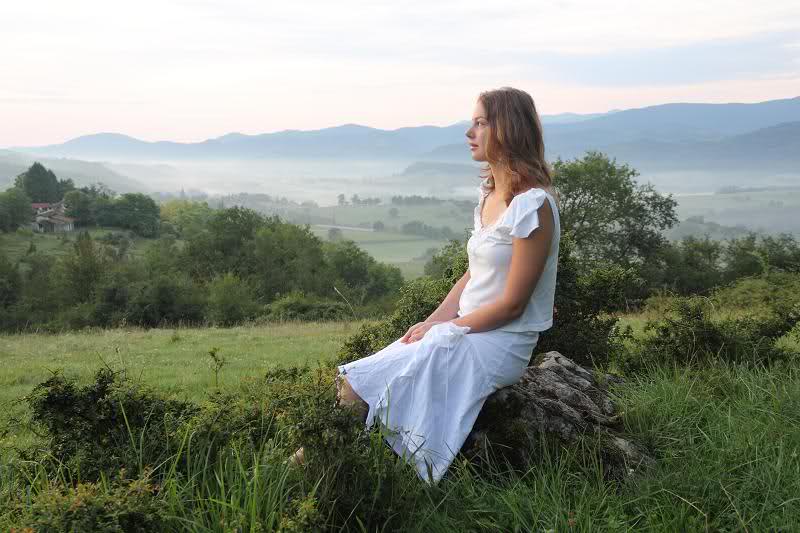
That's the whole frame, straight from the RAW file, no corrections. The idea was to try and get a Maxfield Parish kind of lighting, shooting straigt into the morn ing sun.
Maybe not bad, but nowhere near Larkspur's world. The dynamic range of the subject is too much to capture in full. We need something with High Dynamic Ranging, together with some color managing to improve that.
HDR is usually done with several pictures -at least three-, identical except for different exposures. However not a lot of models freeze for several pix and a tripod is not always practicable, but we can emulate three exposures from one by changing the output of the raw processing, one underexposed and one overexposed:
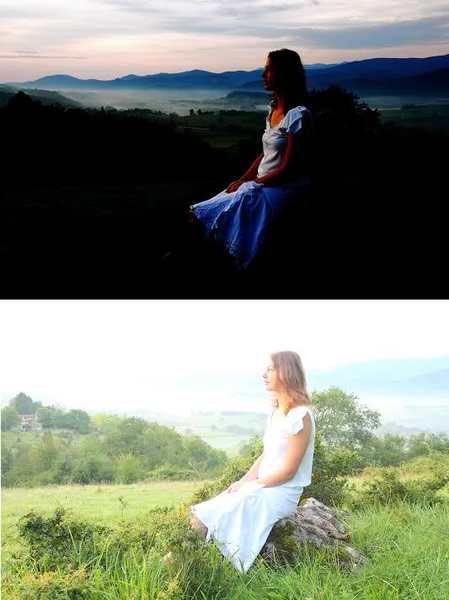
Alo the colors have been made more saturated to emulate more what the eye seems rather than what the camera sees.
So when we merge these three pix with HDR software (I use GIMP with plug ins for that) as a result we get a little closer to Larkspurs world where all parts are now much closer to an ideal contrast:
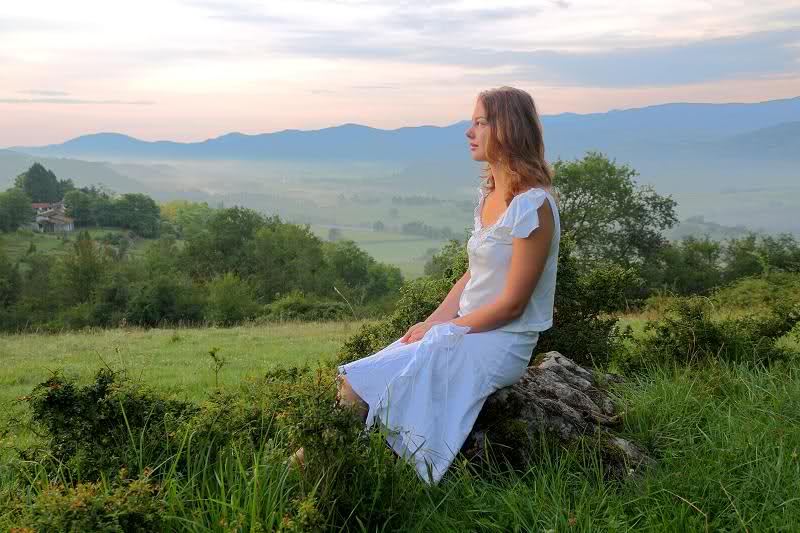
But you can't win them all, as the HDR software did not like the morning fog as seemingly over exposed and got rid of it.
Borek said:I have found this guy accidentally.
http://www.panoramio.com/user/109117
As someone said about Larkspur - I would like to live in the world as he sees it.
Larkspurs pictures are always so rich on color, almost too saturated but especially the dynamic range from light to dark are so well balanced. Too bad she doesn't drop by anymore.
So I want to live in that world too and I was going over all my summer pics, like this one:
That's the whole frame, straight from the RAW file, no corrections. The idea was to try and get a Maxfield Parish kind of lighting, shooting straigt into the morn ing sun.
Maybe not bad, but nowhere near Larkspur's world. The dynamic range of the subject is too much to capture in full. We need something with High Dynamic Ranging, together with some color managing to improve that.
HDR is usually done with several pictures -at least three-, identical except for different exposures. However not a lot of models freeze for several pix and a tripod is not always practicable, but we can emulate three exposures from one by changing the output of the raw processing, one underexposed and one overexposed:
Alo the colors have been made more saturated to emulate more what the eye seems rather than what the camera sees.
So when we merge these three pix with HDR software (I use GIMP with plug ins for that) as a result we get a little closer to Larkspurs world where all parts are now much closer to an ideal contrast:
But you can't win them all, as the HDR software did not like the morning fog as seemingly over exposed and got rid of it.