Discussion Overview
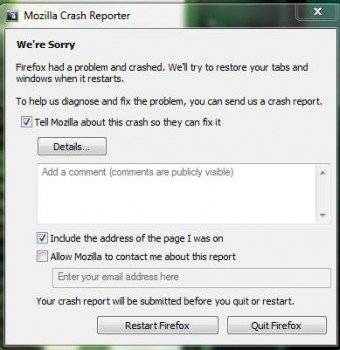
The discussion centers around the frequent crashing of Firefox, with participants exploring potential causes and solutions. The scope includes troubleshooting, user experiences, and suggestions for alternative browsers.
Discussion Character
- Exploratory
- Technical explanation
- Debate/contested
- Homework-related
Main Points Raised
- One participant reports that Firefox crashes every minute and seeks help for a fix.
- Another suggests uninstalling and reinstalling Firefox as a potential solution, noting the lack of information about the user's environment.
- A participant reiterates the suggestion to delete and reinstall Firefox, providing details about their high-end computer setup.
- Another user recommends holding down the Left Shift button while opening Firefox to disable add-ons and reset preferences, along with clearing the cache as a possible fix.
- One participant suggests trying a different browser, specifically Chrome, to see if the issue persists.
- Another user proposes Avant as an alternative browser that allows using multiple engines, including Firefox and Chrome.
- A later reply mentions that uninstalling and reinstalling Firefox did not resolve the crashing issue, suggesting that it may be related to internet cache or virtual memory problems.
Areas of Agreement / Disagreement
Participants express various suggestions for resolving the crashing issue, but there is no consensus on a definitive solution. Multiple competing views and approaches remain, reflecting uncertainty about the underlying cause of the problem.
Contextual Notes
Some suggestions depend on the user's specific environment and configurations, which are not fully detailed. There are also references to potential issues with cache and virtual memory that remain unresolved.
Who May Find This Useful
This discussion may be useful for users experiencing similar issues with Firefox crashing, as well as those interested in troubleshooting browser-related problems.