Can I Change Latex Syntax to Avoid 'Missing $ inserted' Error?

  • Context: LaTeX 
  • Thread starter Thread starter evinda
  • Start date Start date
  • Tags Tags
    Change
Join the discussion
Ask a follow-up here, or get your own question answered by working scientists, mathematicians and engineers — people, not an autocomplete.
Real named experts · corrections over time · the nuance an AI answer skips
4 replies · 3K views
evinda
Gold Member
MHB
Messages
3,741
Reaction score
0
Hello!
I am writing something in Latex and I am facing some difficulties.

If I write [m] MAX_POS[/m] I get the message [m] Missing $ inserted[/m] because of this _ . So can't I use this symbol? (Worried)

Also it looks like this:

View attachment 3782How could I change it so that the while loop that is at lines 3,4 is only at one line? (Thinking)
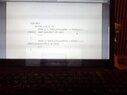
 

Attachments

  • TPhoto_00096.jpg
    TPhoto_00096.jpg
    19.8 KB · Views: 155
Physics news on Phys.org
Writing algorithms in math mode is a mistake. Fortunately, there are plenty of LaTeX environments designed to handle pseudocode or even actual code. The simplest option is using the verbatim environment, which offers no formatting but let's you type any special symbols you want, and displays them in a typewriter font. Example:

Code:
\begin{verbatim}
int i = 0, j = 0;
int x = 2;

while (i + j < x) {
    i = i + (x mod j)
    x++
}
\end{verbatim}

For writing algorithms in particular, you can use algorithm2e, which is a bit complicated but let's you write up pseudocode and have it take care of the formatting: LaTeX/Algorithms - Wikibooks, open books for an open world

Finally, for actual source code the listings package is probably the best option, it works much like the verbatim example above, except you use listings and optionally configure it if you want a special look/need special syntax highlighting: LaTeX/Source Code Listings - Wikibooks, open books for an open world

Remember that there is more than the amsmath package in LaTeX! If you need to write something in LaTeX, chances are someone has written a package for it. (note you may need to install extra packages if they aren't provided by default, but on a properly configured LaTeX environment this is done automatically and even if it isn't it's not hard to install them manually).
 
Bacterius said:
Writing algorithms in math mode is a mistake. Fortunately, there are plenty of LaTeX environments designed to handle pseudocode or even actual code. The simplest option is using the verbatim environment, which offers no formatting but let's you type any special symbols you want, and displays them in a typewriter font. Example:

Code:
\begin{verbatim}
int i = 0, j = 0;
int x = 2;

while (i + j < x) {
    i = i + (x mod j)
    x++
}
\end{verbatim}

For writing algorithms in particular, you can use algorithm2e, which is a bit complicated but let's you write up pseudocode and have it take care of the formatting: LaTeX/Algorithms - Wikibooks, open books for an open world

Finally, for actual source code the listings package is probably the best option, it works much like the verbatim example above, except you use listings and optionally configure it if you want a special look/need special syntax highlighting: LaTeX/Source Code Listings - Wikibooks, open books for an open world

Remember that there is more than the amsmath package in LaTeX! If you need to write something in LaTeX, chances are someone has written a package for it. (note you may need to install extra packages if they aren't provided by default, but on a properly configured LaTeX environment this is done automatically and even if it isn't it's not hard to install them manually).
Nice! Thanks a lot! (Smile)

Now I wrote a long comment but it is cut from a point.
What could I do to change the line so that the whole comment is appeared? (Thinking)
 
evinda said:
Nice! Thanks a lot! (Smile)

Now I wrote a long comment but it is cut from a point.
What could I do to change the line so that the whole comment is appeared? (Thinking)

Insert a line break (press enter)? The verbatim environment doesn't do line wrapping for you, it literally just takes what you write and pastes it directly into the output document. Also maybe consider reducing the font size a notch for your verbatim block, enough for it to be still readable but save some space (in my opinion it is too large by default on most document styles).
 
Bacterius said:
Insert a line break (press enter)? The verbatim environment doesn't do line wrapping for you, it literally just takes what you write and pastes it directly into the output document. Also maybe consider reducing the font size a notch for your verbatim block, enough for it to be still readable but save some space (in my opinion it is too large by default on most document styles).

Nice... Thanks a lot! (Nod)