markus.sparti
- 2
- 0
Mathcad help: "The forms of these values must match" error
I am getting an error, when I assign a value to 'num', stating:
The forms of these values must match
This value has the form: Unitless,
but others have the form: f(any1, [unitless]) => [unitless]
I cannot figure out what the program wants me to do, how do I make the value of 'num := 100' match the others, or vise-versa? I am completely stuck.
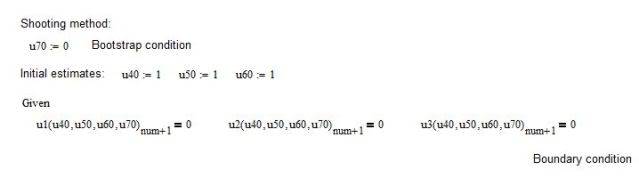
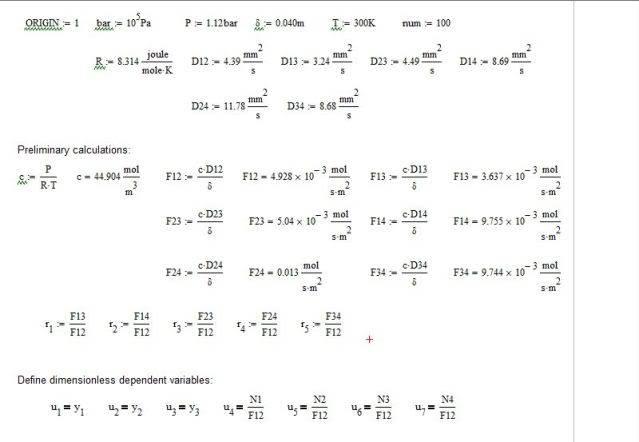
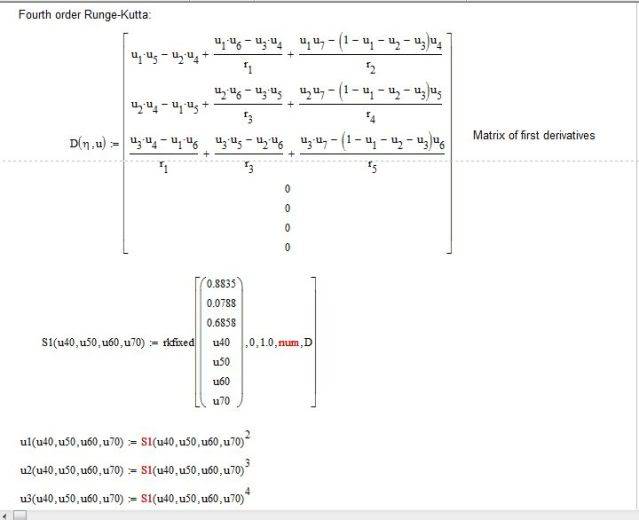
with the error message:
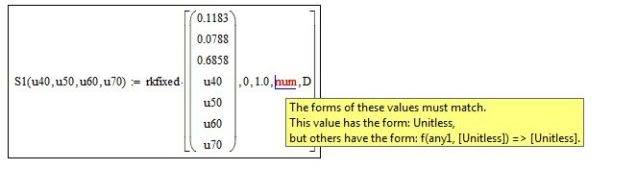
I have tried everything I can think of, I have double checked all the numbers and units and can't find anything wrong. Any help in the right direction is greatly appreciated.
Thanks!
Homework Statement
I am getting an error, when I assign a value to 'num', stating:
The forms of these values must match
This value has the form: Unitless,
but others have the form: f(any1, [unitless]) => [unitless]
I cannot figure out what the program wants me to do, how do I make the value of 'num := 100' match the others, or vise-versa? I am completely stuck.
Homework Equations
with the error message:
The Attempt at a Solution
I have tried everything I can think of, I have double checked all the numbers and units and can't find anything wrong. Any help in the right direction is greatly appreciated.
Thanks!