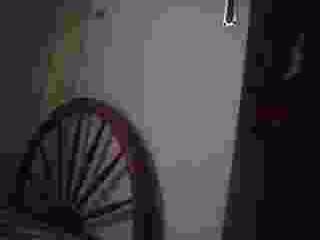
Video camera capture showing corrupted output in amcap

  • Thread starter Thread starter peejake
  • Start date Start date
  • Tags Tags
    Video
Join the discussion
Registration is free. Start your own thread to ask a follow-up.
2 replies · 3K views · last reply
peejake
Messages
69
Reaction score
0
Hey guys,

I downloaded and installed amcap to capture videos onto my laptop. I then connected my video camera to the computer and my video comes out like this.
Dark, blurred camera frame showing a curved wooden staircase in the lower left against a pale wall, with a red-tinted smear across the image and a thin white wire hanging at the top right.


Does anyone know why i get my video coming through like this?? I remember doing this before(5 months ago) and it worked perfectly but now this is what i get... Please help!
Any help would be appreciated!

Thanks
 
Physics news on Phys.org
I have this one to but i Delete it!

:confused:
AMCAP video capture window with the Window menu open, showing Aspect Ratio submenu set to Letter Box, over a webcam feed of a desk and monitor; status bar reads Logitech QuickCam Pro 4000.

Videoconferencing and Video Capture Tools
Noël's Home Page ... AMCap. AMCap is a small yet fully functional video capture ... is based on the sample AMCap source code from the Microsoft DirectX 9 SDK. ...noeld.com/programs.asp?cat=video
Mybe you need to
Video camera capture showing corrupted output in amcap
:rolleyes:
http://hot-text.ath.cx/img/VideoFormat1.png
http://hot-text.ath.cx/img/VideoFormat6.png http://hot-text.ath.cx/img/VideoFormat5.png
Not All Cam Have Settings. See!
http://hot-text.ath.cx/img/VideoFormat3.png http://hot-text.ath.cx/img/VideoFormat4.png
Try Default and Apply
http://hot-text.ath.cx/img/VideoFormat.png
Try Default RGB 24 and Apply:wink:
Hope this Help you
:approve:But i Move on to CAM STUDIO is FreeWare
http://hot-text.ath.cx/img/VideoFormat.jpg
http://hot-text.ath.cx/img/VideoFormat2.jpg
http://hot-text.ath.cx/img/VideoFormat3.jpg
Do you get the Pictures
:!) http://hot-text.ath.cx/ware/CamStudio20.exe
:biggrin: http://hot-text.ath.cx/ware/CamStudioCodec10.zip
 
Last edited by a moderator:
Hi Hot-Text,

Thankyou very much for your help as it indeed helped me to refine the video quality much more. I first figured out that i had to install the software that i got with the camera and then adjust some of those properties you suggested and it worked. I am getting normal clear video's now...
Thanks again for your help
Jake