DaveC426913
Gold Member
2025 Award
- 24,711
- 9,136
- TL;DR
- I have accidentally loaded a template setting that I can't seem to reset.
I am helping my sister with her dive club's Joomla site. It is live and it is currently messed up (by me), so time is of the essence.
Back story:
The club's IT guy has been AWOL for, like, a year.
My sister stepped in to update a simple banner image.
She tagged me to help change the colour of the text overlay.
In my exploration, I loaded a .json template configuration. I did not save. It implemented the configuration anyway.
There is no ability to load any other .json template configuration, or otherwise undo the loaded one.
The site is euc.ca.
At the moment the big problems are

I am(was) a web dev, so I know a few ways I can kludge some changes - if I can find the right file or configuration that affect the live site. (I embedded some CSS right in the text editor to override the title text to render it white).
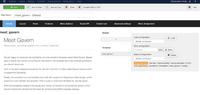
This is where I went awry by loading that .json file over there on the right side:

There are no other options to choose from.
If I back out to the list of templates, there are others:

(I've tried setting each of these to default here in the list. None seem to have any effect.)
When I go into these other ones, in the hope of loading a .json. config file, it turns out they all seem to be empty. The feature for loading anything does not exist:

I've tried everything.
What do you think might happen if I delete the .json config file? Do you think Joomla considers "delete" to be the inverse of "load"?

Back story:
The club's IT guy has been AWOL for, like, a year.
My sister stepped in to update a simple banner image.
She tagged me to help change the colour of the text overlay.
In my exploration, I loaded a .json template configuration. I did not save. It implemented the configuration anyway.
There is no ability to load any other .json template configuration, or otherwise undo the loaded one.
The site is euc.ca.
At the moment the big problems are
- the "Meet Gavern" logo in the upper left, which should be EUC,
- the repeating image of the turtle.
- there may be lots of other problems introduced by this template that I am not aware of yet.
I am(was) a web dev, so I know a few ways I can kludge some changes - if I can find the right file or configuration that affect the live site. (I embedded some CSS right in the text editor to override the title text to render it white).
This is where I went awry by loading that .json file over there on the right side:
There are no other options to choose from.
If I back out to the list of templates, there are others:
(I've tried setting each of these to default here in the list. None seem to have any effect.)
When I go into these other ones, in the hope of loading a .json. config file, it turns out they all seem to be empty. The feature for loading anything does not exist:
I've tried everything.
What do you think might happen if I delete the .json config file? Do you think Joomla considers "delete" to be the inverse of "load"?
Attachments