StevieTNZ
- 1,944
- 837
Hi there
I'm trying to access a FTP server in Windows Explorer. Getting to it, by inputting a username and password, works in Firefox but I'm needing to copy and paste a folder from the server to my desktop.
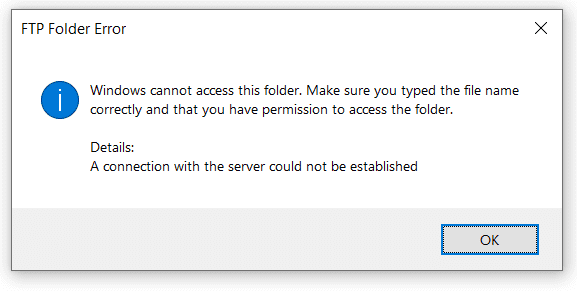
I get the following message when trying to access the server in Windows Explorer (Windows 10), without any prompt for a username and password
Help!
Many thanks
Stevie
I'm trying to access a FTP server in Windows Explorer. Getting to it, by inputting a username and password, works in Firefox but I'm needing to copy and paste a folder from the server to my desktop.
I get the following message when trying to access the server in Windows Explorer (Windows 10), without any prompt for a username and password
Help!
Many thanks
Stevie