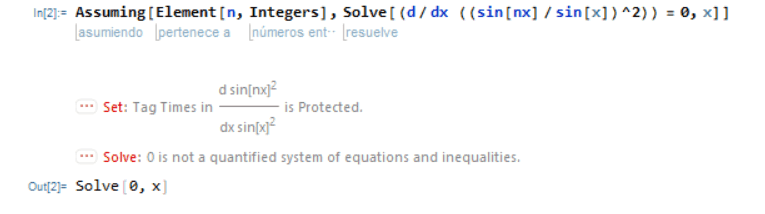
In Mathematica, using a single "=" assigns a value to a variable, while a double "==" is used for logical equality tests. This distinction is crucial for avoiding errors when entering equations. New users may find Mathematica's syntax unconventional, but with practice, it becomes clear and efficient to use.
#1
Sokolov
14
1
I'm new with Mathematica and I'm not sure why when I enter this equation an error happens. Could anyone please help me with it?
You need to replace your “=“ with “==“. The single “=“ sets the thing in the left to the value on the right. The double “==“ is a logical test of equality and returns True if the left side is equal to the right.
No problem. The syntax of Mathematica is a little unusual and takes some getting used to. But once you do get used to it it is very clear and concise and nice to work with.
As you can see from the image here, when I graph the 2d graph of y = 5sin(1/x), it comes out like I'd expect. However, when I graph it in a 3d graph, it doesn't look right at all. Can someone tell me why it isn't displaying right, or is it and I'm just missing something when I add the z axis?