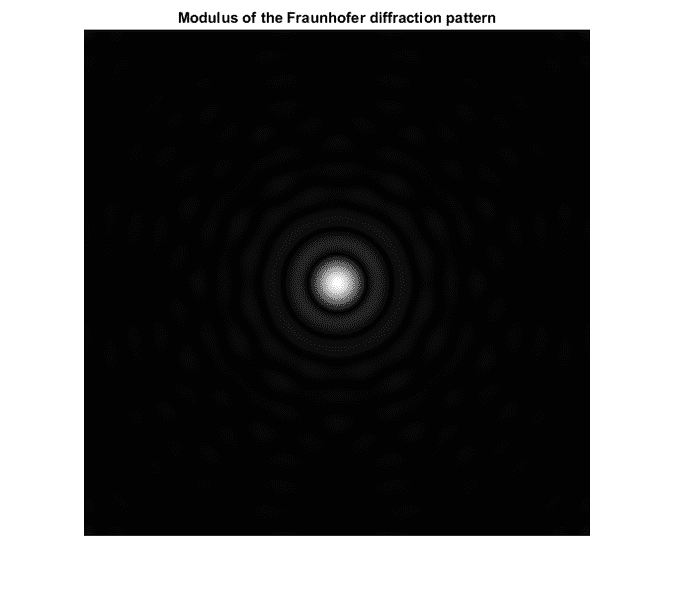
Fraunhofer diffraction simulation in Matlab

Click For Summary
SUMMARY

The forum discussion centers on simulating Fraunhofer diffraction using MATLAB, specifically referencing the book "Introduction to Modern Digital Holography With MATLAB" by Ting-Chung Poon and Jung-Ping Liu. The user seeks clarification on the scaling commands C=C*lambda*z/M/delta*1000 and R=R*lambda*z/M/delta*1000, which are used to adjust coordinates in the image plane. The discussion highlights that commenting out these commands allows for a more reasonable range of x-y coordinates for plotting the diffraction pattern.

PREREQUISITES
  • Familiarity with MATLAB programming
  • Understanding of Fraunhofer diffraction principles
  • Knowledge of Fourier transforms
  • Basic concepts of digital holography
NEXT STEPS
  • Study the implementation of Fourier transforms in MATLAB
  • Research the principles of Fraunhofer diffraction in detail
  • Explore digital holography techniques using MATLAB
  • Learn about coordinate transformations in image processing
USEFUL FOR

Researchers, optical engineers, and students interested in digital holography and diffraction simulations using MATLAB.

riharenda009
Messages
3
Reaction score
0
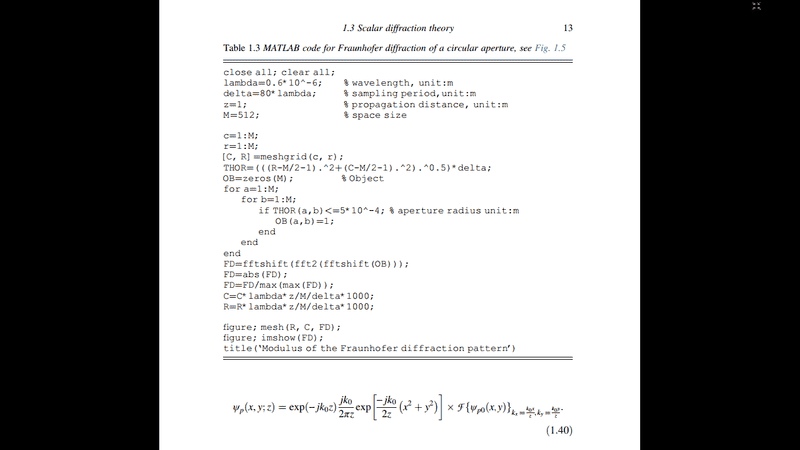
Hello, below is the screenshot from the book INTRODUCTION TO MODERN DIGITAL HOLOGRAPHY With MATLAB (TING-CHUNG POON, JUNG-PING LIU). This book is free to download. There is a script for Fraunhofer diffraction pattern and equation 1.40 is Fraunhofer diffraction formula in terms of Fourier transform.
matlabfd.png

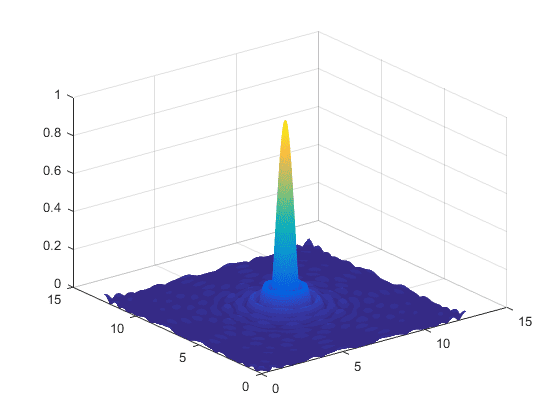
I don't understand commands C=C*lambda*z/M/delta*1000 and R=R*lambda*z/M/delta*1000;. They are probably scaling coordinates in image plane, but I don't know how. Can anybody explain it? Thank you very much. Here are the results of the simulation. Coordinates are in milimeters.
m1.png

m2.png
 

Attachments

  • matlabfd.png
    matlabfd.png
    22.2 KB · Views: 1,128
  • m1.png
    m1.png
    9.1 KB · Views: 1,249
  • m2.png
    m2.png
    14.7 KB · Views: 1,054
Physics news on Phys.org
if you comment out the C and R at the bottom and re plot the data, you'll find that the x-y coordinates vary between 1 and 512, they get the image back into reasonable coordinates for an image plot.
 

Similar threads

  • · Replies 7 ·
Replies
7
Views
13K
  • · Replies 3 ·
Replies
3
Views
6K
  • · Replies 1 ·
Replies
1
Views
2K
  • · Replies 5 ·
Replies
5
Views
6K
  • · Replies 7 ·
Replies
7
Views
16K