GNUplot -- how to improve image definition?

Click For Summary

Discussion Overview

The discussion revolves around improving the image definition when using GNUplot to plot data that includes a raster image. Participants explore various methods to enhance the resolution and quality of the image displayed in the plot.

Discussion Character

  • Technical explanation
  • Debate/contested

Main Points Raised

  • One participant shares their experience with GNUplot and seeks advice on improving the resolution of an image added to their plot.
  • Another participant suggests that using a higher resolution PNG or a vector graphic version of the image might help improve the quality.
  • Some participants mention that artifacts can occur when raster images are rendered at a different resolution than the original.
  • There are suggestions to use tools like ImageMagick or Gimp for upscaling the image, although the necessity and effectiveness of upscaling are questioned by others.
  • One participant expresses uncertainty about their ability to recreate the original image at a higher resolution.
  • Another participant discusses the potential benefits of vectorizing the image and mentions tools like potrace for converting PNG to SVG.
  • There is a mention of using AI-based upscaling tools to intelligently enhance the image quality.

Areas of Agreement / Disagreement

Participants express a range of views on the best approach to improve image quality, with no clear consensus on a single solution. Some advocate for using higher resolution images, while others suggest vector graphics or upscaling techniques.

Contextual Notes

Participants note limitations related to the original image's resolution and the capabilities of the software being used. There is also mention of potential artifacts resulting from the rendering process.

dRic2
Gold Member
Messages
887
Reaction score
225
Hi,

I am used to plot data with the GNUplot software. This time I need to add an image to my plot. I did with the following line
Code:
'my_image.png' binary filetype=png center=(3.25,-9.1) dx=0.007 dy=0.0125 w rgbimage notitle
but the final resolution of the picture is pretty bad compared to the original. Do you have any suggestions on how to improve it?

Thanks
 
Physics news on Phys.org
It might help to show your resulting document.

Since gnuplot output is generally vector graphics and png (like jpg) is raster graphics, it may just be that you need a higher resolution png…or else use a vector graphic version of your png image.
 
  • Informative
Likes   Reactions: dRic2 and berkeman
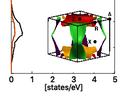
Hi, these are the two pictures. The resolution of the original isn't that good, but it gets significantly worse in the plot
 

Attachments

  • in_graph.png
    in_graph.png
    4.7 KB · Views: 224
  • original.png
    original.png
    14.9 KB · Views: 243
possibly helpful: http://gnuplot.sourceforge.net/demo_4.2/image.html

What is the final format of the output?

There are certainly artifacts when a raster image is rendered in a different resolution that the original.
Can your gnuplot be rendered in a higher-resolution png to match the original png?

It probably would be better to get a higher resolution original png.
If the original isn't available, one could try a tool like ImageMagick or Gimp to upscale it.

Ideally, you want a vector graphic of the image rendered in your original png.

Alternatively, you could try to manipulate the parts in Inkscape.
 
robphy said:
Ideally, you want a vector graphic of the image rendered in your original png.
Like a PDF file? Don't think I can do this...

robphy said:
one could try a tool like ImageMagick or Gimp to upscale it.
Why should I upscale it ?

Btw, thanks for all the suggestions. It seems that the best solution is to try to recreate the .png image with a better resolution. I'll try but I'm not sure that the program which I am using is capable of such things
 
dRic2 said:
Like a PDF file? Don't think I can do this...Why should I upscale it ?

Btw, thanks for all the suggestions. It seems that the best solution is to try to recreate the .png image with a better resolution. I'll try but I'm not sure that the program which I am using is capable of such things
Improving the format of the original to a vector-based format is best.
If not, then improving the resolution is the next best approach.

Gnuplot may have only one method of resampling raster images.
Something like Inkscape or other image manipulation can maybe accentuate features
that would improve the rendering on Gnuplot.

Without access to the original,
upscaling might help decrease the artifacts, especially if the upscaling can be done intelligently (say using AI, which may be able intelligently fill in the gaps... e.g. recognize a line and not just magnify the pixelated line.)
I took your original and fed it https://icons8.com/upscaler (which I just found while thinking about your question).

Here is their upscaled version 3000x2796 (attached)
[actually, no it didn't properly attach... it should be 2.2MB file with resolution 3000x2796 .. see below for an enlarged section]
from your original 484x451.
It may not help that much.

One could seek other methods: like "vectorizing" with potrace
https://www.google.com/search?q=potrace+png+to+svgoriginal:
original-webp.png

upscaled [but PF downscaled it] in the attachment.

Here is a zoom in of a section:
1632062685054.png
 

Attachments

  • original-webp-upscaled.png
    original-webp-upscaled.png
    46.1 KB · Views: 240
Last edited:
  • Informative
Likes   Reactions: dRic2
Thank you very very much. I'll see what I can do!
 

Similar threads

  • · Replies 1 ·
Replies
1
Views
2K
  • · Replies 3 ·
Replies
3
Views
2K
  • · Replies 13 ·
Replies
13
Views
4K
  • · Replies 8 ·
Replies
8
Views
5K
  • · Replies 7 ·
Replies
7
Views
3K
  • · Replies 7 ·
Replies
7
Views
4K
  • · Replies 3 ·
Replies
3
Views
5K
  • · Replies 6 ·
Replies
6
Views
6K