magoood
- 12
- 0
Hi,
I've a friend of mine overseas and I want to help him with some Math problems. I have a desktop PC running Windows 7 x64 and I've also an Apple iPad 3 (the first version that comes with Retina). I'm going to make use of the screen sharing feature in Skype. The problem is that I want to have a tool that helps me write on my iPad using a pen. I was given - as a gift - a normal pen that has a special rubber at top to help select things on cell phone rather than using my fingers as the person who gave me the gift told me (please see image below). My questions are:
Is it possible to use that pen to write on the iPad? if yes, what software (hopefully free) that can allow me to use on the iPad as a scratch pad? (so that everything I'm writing on the iPad's screen shows up on my computer screen as well for the other person to see what I'm writing/doing via the Skype sharing feature.)
Many thanks! :)
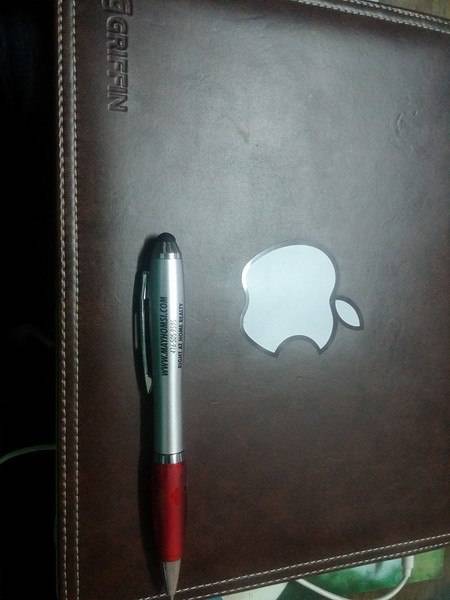
I've a friend of mine overseas and I want to help him with some Math problems. I have a desktop PC running Windows 7 x64 and I've also an Apple iPad 3 (the first version that comes with Retina). I'm going to make use of the screen sharing feature in Skype. The problem is that I want to have a tool that helps me write on my iPad using a pen. I was given - as a gift - a normal pen that has a special rubber at top to help select things on cell phone rather than using my fingers as the person who gave me the gift told me (please see image below). My questions are:
Is it possible to use that pen to write on the iPad? if yes, what software (hopefully free) that can allow me to use on the iPad as a scratch pad? (so that everything I'm writing on the iPad's screen shows up on my computer screen as well for the other person to see what I'm writing/doing via the Skype sharing feature.)
Many thanks! :)