Discussion Overview
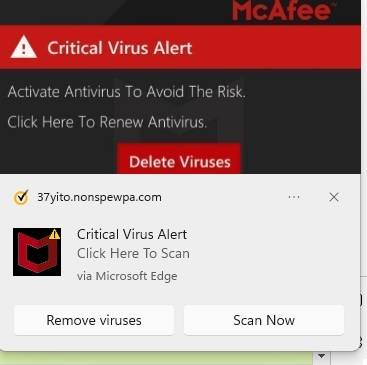
The discussion revolves around a persistent popup claiming that a user's computer is infected, specifically linked to the website nonspewpa.com. Participants explore potential solutions for removing the popup, the nature of the website, and the implications of allowing notifications from such sites.
Discussion Character
- Technical explanation
- Debate/contested
- Conceptual clarification
Main Points Raised
- One participant reports receiving a popup from nonspewpa.com and seeks advice on removal.
- Another participant suggests turning off notifications from nonspewpa.com in the user's browser as a solution.
- Some participants express uncertainty about how notifications were allowed from the site in the first place.
- Concerns are raised about the nature of nonspewpa.com, with claims that it displays fake messages to trick users into subscribing to spam notifications.
- There is a discussion about the potential for the popup to appear due to visiting other sites that may have embedded malicious content.
- Participants note that newer versions of browsers like Chrome and Firefox are more secure against such exploits, while Internet Explorer may be more vulnerable.
Areas of Agreement / Disagreement
Participants generally agree on the need to disable notifications from the problematic site, but there is uncertainty regarding how the notifications were initially allowed. The discussion includes multiple perspectives on the security of different web browsers.
Contextual Notes
There are unresolved questions about the specific circumstances under which notifications were allowed, and the effectiveness of the proposed solutions may vary based on the user's browser and settings.