Learning VisEd for MCNP

  • Thread starter Thread starter steph_ws23
  • Start date Start date
  • Tags Tags
    Input Simulation
Click For Summary
SUMMARY

The discussion centers on using VisEd for MCNP6, specifically the challenges faced when attempting to modify input files directly within VisEd. Users are unable to save changes made in VisEd and must resort to using a text editor to modify input files before reopening them in VisEd. This workflow complicates the simulation process for beginners looking to understand the impact of card changes on simulations.

PREREQUISITES
  • Familiarity with MCNP6 simulation software
  • Basic understanding of input file structure in MCNP
  • Knowledge of text editing tools
  • Experience with simulation workflows
NEXT STEPS
  • Explore the features of VisEd for MCNP6
  • Learn how to effectively edit MCNP input files using text editors
  • Research best practices for managing MCNP simulations
  • Investigate potential updates or plugins for VisEd that enhance file saving capabilities
USEFUL FOR

This discussion is beneficial for beginners in nuclear engineering, simulation specialists, and researchers using MCNP6 who seek to streamline their workflow with VisEd.

steph_ws23
Messages
2
Reaction score
0
TL;DR
modify the charge file directly in Vised
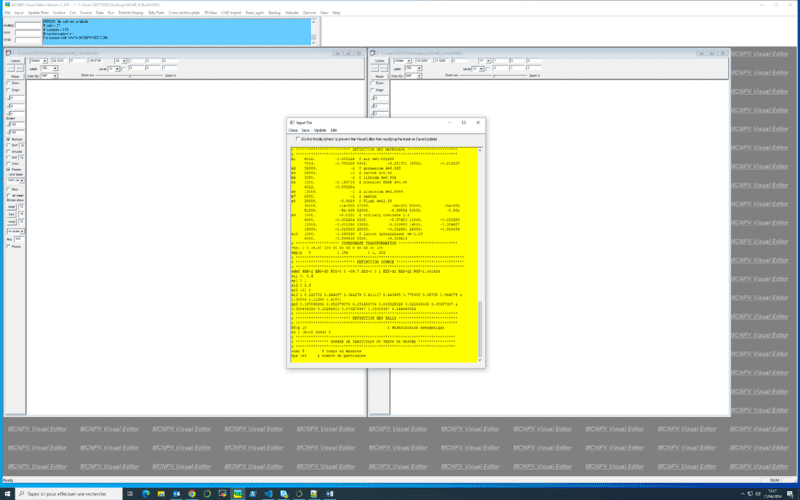
I'm beginning in Vised for MCNP6 and i want to modify my imput file inside vised to understand how when i changed cards this affects the simulation. The problem is that i can't save inside vised my imput file, i have to open my imput file in an editor text an then reopen this file in vised.
Thanks in advance
NB: my screen shot show where i want to modify my imput and then start a new simulation
Capture d’écran (55).png
 

Similar threads

  • · Replies 4 ·
Replies
4
Views
2K
Replies
1
Views
3K
  • · Replies 1 ·
Replies
1
Views
4K
  • · Replies 10 ·
Replies
10
Views
3K
  • · Replies 0 ·
Replies
0
Views
1K
  • · Replies 1 ·
Replies
1
Views
2K
Replies
5
Views
2K
Replies
6
Views
997
Replies
3
Views
3K
Replies
6
Views
7K