- 3,772
- 1,987
Blender has released its latest new version (5.2), and as per usual, they have added a number of new features, two of which I'll touch on here. One is a material feature and the other a physics simulation feature. The material one is call "Thin wall", it is used when you want a material that lets some light through, light shades, for example, and is used in conjunction with the "transmission" setting, which determines how much light passes through. It particularly helps in the appearance when dealing with back lighting.
The second one is a revamping of the already existing cloth simulation. It adds "tearing", which, as the name suggests, allows the cloth to tear when stressed beyond preset limits.
The short video here demonstrates both features, with the ball ripping the cloth as it passes through, and the cloth being lit from the underside. The lower light is made large to produce both a preumbra and umbra effect on the cloth.
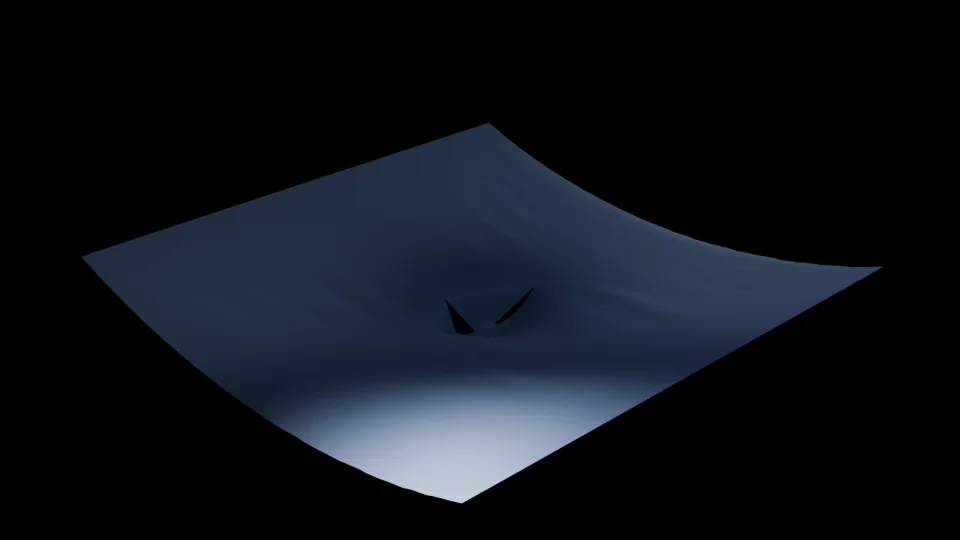
For comparison, this is a single frame rendered with the thin wall option turned off, and no other settings changed. Note the unusually brightness of the lower corner.
My next test is to see if I can create a "popping balloon" effect
The second one is a revamping of the already existing cloth simulation. It adds "tearing", which, as the name suggests, allows the cloth to tear when stressed beyond preset limits.
The short video here demonstrates both features, with the ball ripping the cloth as it passes through, and the cloth being lit from the underside. The lower light is made large to produce both a preumbra and umbra effect on the cloth.
For comparison, this is a single frame rendered with the thin wall option turned off, and no other settings changed. Note the unusually brightness of the lower corner.
My next test is to see if I can create a "popping balloon" effect
Last edited by a moderator: