Spurious diagonal lines and black screens on Win 10 Pro

  • Thread starter Thread starter Wrichik Basu
  • Start date Start date
  • Tags Tags
    Lines
Click For Summary
SUMMARY

The discussion centers on a user experiencing spurious diagonal lines and black screens on a HP Probook 450 G6 running Windows 10 Professional. Despite multiple restarts and cache clearing, the issue persisted, leading to the conclusion that it was not a virus, as both Malwarebytes and Windows Security reported a clean system. The problem was ultimately resolved by rolling back the graphics device drivers for both Intel and Nvidia cards via Device Manager, indicating a driver conflict rather than a hardware issue.

PREREQUISITES
  • Understanding of Windows 10 Professional operating system
  • Familiarity with Device Manager for managing hardware drivers
  • Knowledge of graphics card functionality, specifically Intel and Nvidia drivers
  • Basic troubleshooting skills for software and hardware issues
NEXT STEPS
  • Research how to roll back device drivers in Windows 10
  • Learn about hardware acceleration settings in Chrome and other browsers
  • Investigate common graphics driver conflicts with Windows 10 updates
  • Explore troubleshooting techniques for display issues on laptops
USEFUL FOR

This discussion is beneficial for laptop users experiencing display issues, IT support professionals, and anyone troubleshooting graphics driver conflicts on Windows 10 systems.

Wrichik Basu
Science Advisor
Insights Author
Gold Member
Messages
2,180
Reaction score
2,690
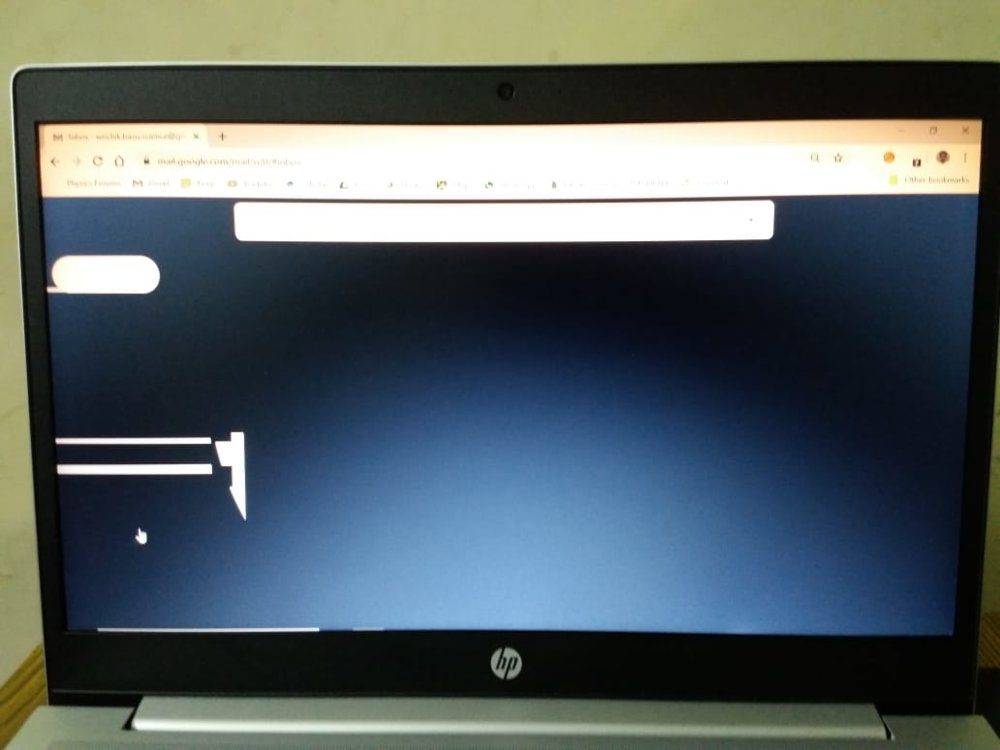
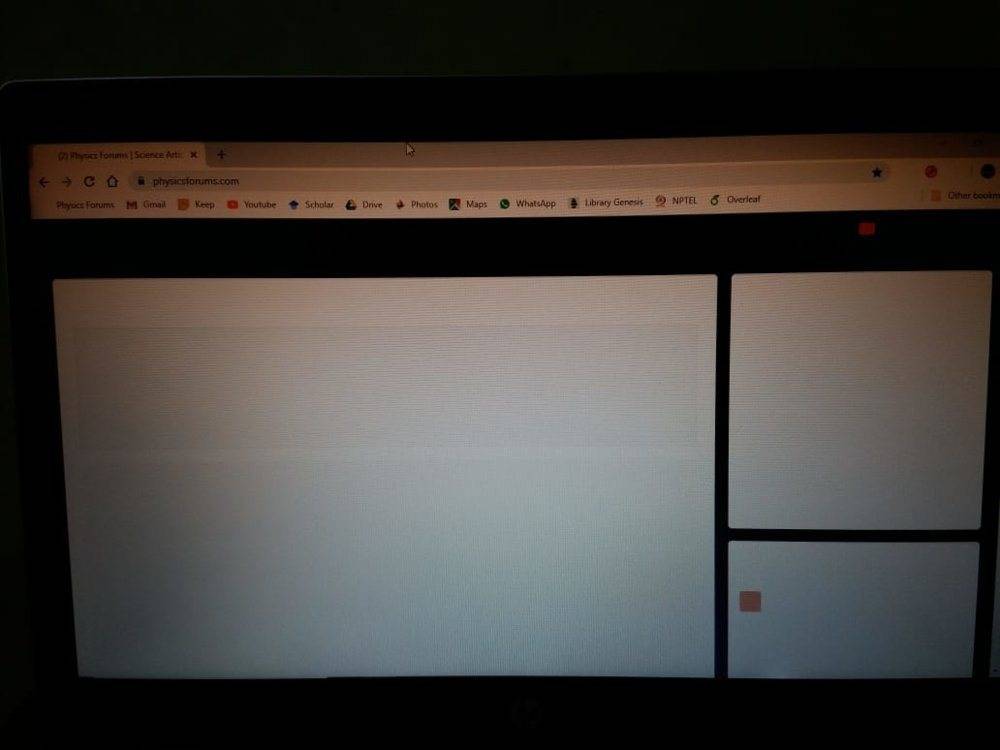
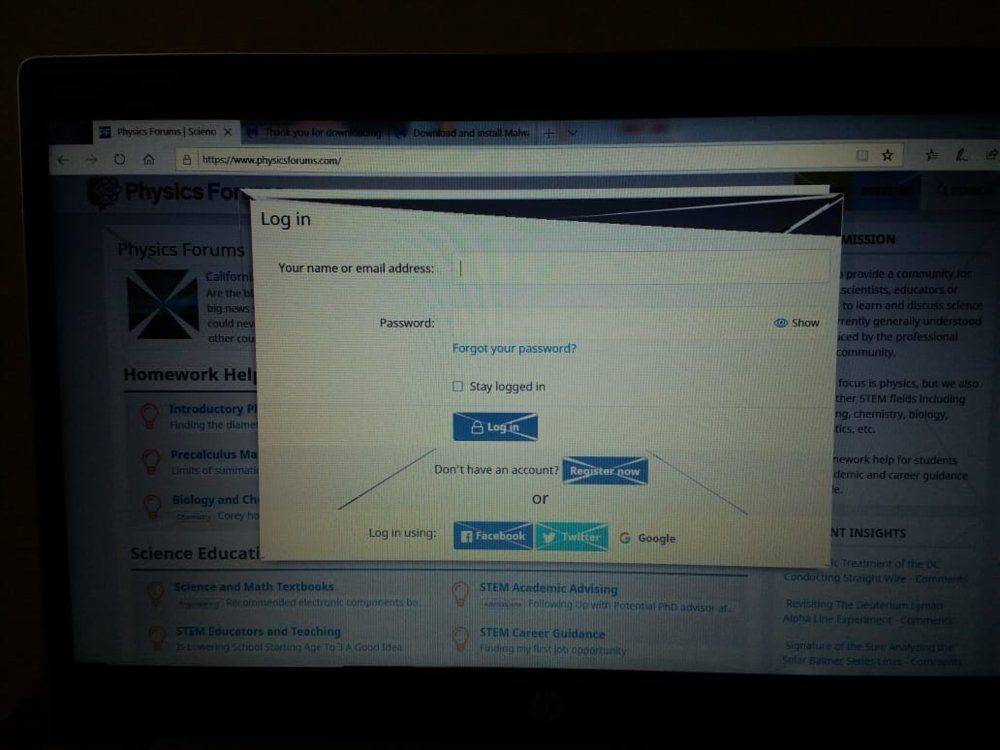
I own a HP Probook 450 G6, with Windows 10 Professional. The laptop was working properly till today morning. Now, when I started it this evening, I started getting spurious lines from MS edge. Chrome is displaying complete black screens.
IMG-20191017-WA0013.jpg

PF from MS Edge

IMG-20191017-WA0011.jpg

Gmail from Chrome

IMG-20191017-WA0009.jpg

PF from Chrome

IMG-20191017-WA0010.jpg

While using search option from task bar.

I restarted several times, cleared cache, prefetch and temp folders, but without any luck. I just can't accept that the PC was running fine this morning, and maybe within 12 hours, these problems started. Malwarebytes and Windows security report a clean system without any virus.

Please help.
 

Attachments

  • IMG-20191017-WA0012.jpg
    IMG-20191017-WA0012.jpg
    76 KB · Views: 366
Computer science news on Phys.org
Do you need to upgrade video device drivers?

I know a few years back an Ubuntu update broke my video until 6 mos later they fixed the issue. Basically they dropped support for some driver and so the default driver took over but it didn't support the right features. I had to fall back to an earlier kernel release to recover until the fix came through.

Tom's hardware has some info:

https://forums.tomshardware.com/threads/windows-10-lines-across-screen.2685678/
You might find more info searching via "diagonal lines in screen display windows 10"
 
I don't think that's a video problem.

Those diagonal lines aren't spruious - they match the boxes created in HTML.

This suggests it has more to do with the browser than the hardware or drivers.

1571329957884.png
 
  • Like
Likes   Reactions: jedishrfu
Thanks for your input, @jedishrfu and @DaveC426913. The fact that the lines appeared even in start menu indicated that this might not be a browser-specific problem. I was frantically searching for a solution, and chanced upon this thread:
https://answers.microsoft.com/en-us...y-screen/a7ccaeca-50c5-41d3-8963-6c8ef7d5d702The advice given there was to roll back device drivers for graphic cards. I have two graphic cards - Intel and Nivida. Right-clicking the start menu, there is an option "Device Manager". From there, I rolled back the two device drivers, and Voila! Everything returned to normal.
 
  • Like
Likes   Reactions: jedishrfu
Interesting glitch. Never seen that before. Gives a little bit of a peak into how the Desktop Windows Manager compositor maps image buffers onto quads and then gpu breaks them into triangles.
 
  • Like
Likes   Reactions: Wrichik Basu and jedishrfu

Similar threads

  • · Replies 12 ·
Replies
12
Views
4K
  • · Replies 18 ·
Replies
18
Views
18K