Zoom-Clude®: A new extension for occluding people in zoom videos

Click For Summary
SUMMARY

Zoom-Clude® is a Firefox extension designed to occlude the left participant in two-person Zoom meetings, enhancing user control over video content. The extension operates on both Zoom and YouTube, utilizing a manifest file and jQuery for functionality. While it offers a novel approach to video editing, ethical concerns arise regarding privacy violations and the potential disruption of communication during meetings. Users are advised to consider the implications of occlusion technology before implementation.

PREREQUISITES
  • Understanding of Firefox WebExtensions API
  • Familiarity with jQuery for DOM manipulation
  • Basic knowledge of JavaScript for extension development
  • Awareness of ethical considerations in technology use
NEXT STEPS
  • Explore the Mozilla Developer Network documentation on WebExtensions
  • Learn about ethical implications of video editing technologies
  • Investigate user consent laws related to video conferencing
  • Study advanced jQuery techniques for dynamic content manipulation
USEFUL FOR

Developers interested in creating browser extensions, ethical technologists, and professionals involved in virtual communication who seek to understand the implications of video manipulation tools.

Jarvis323
Messages
1,247
Reaction score
988
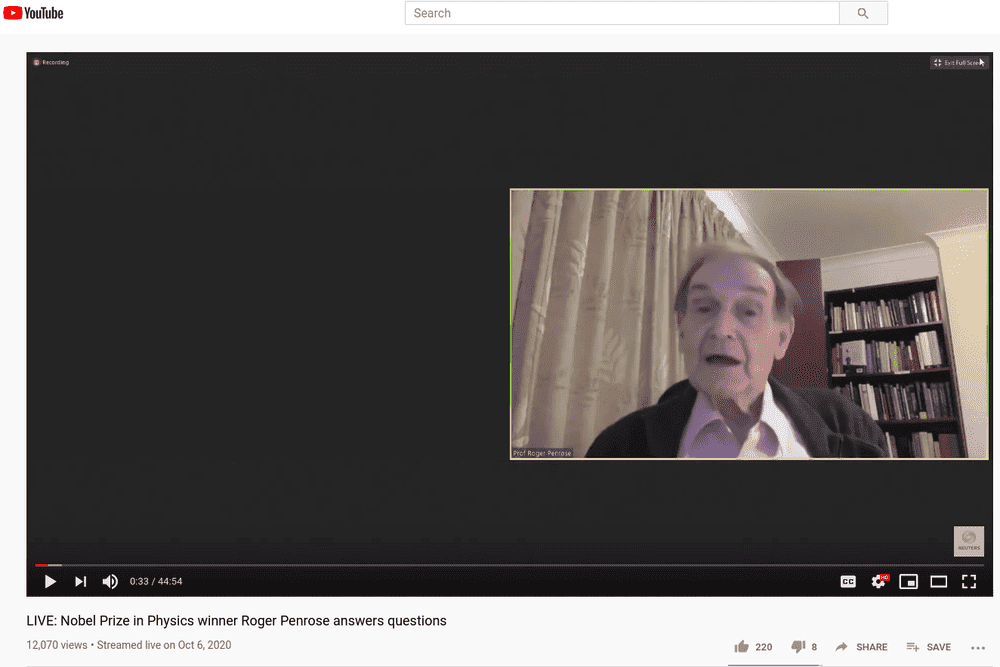
You may have watched this interview of Nobel prize winner, Roger Penrose.



Screenshot_2020-10-10_02-52-38.png


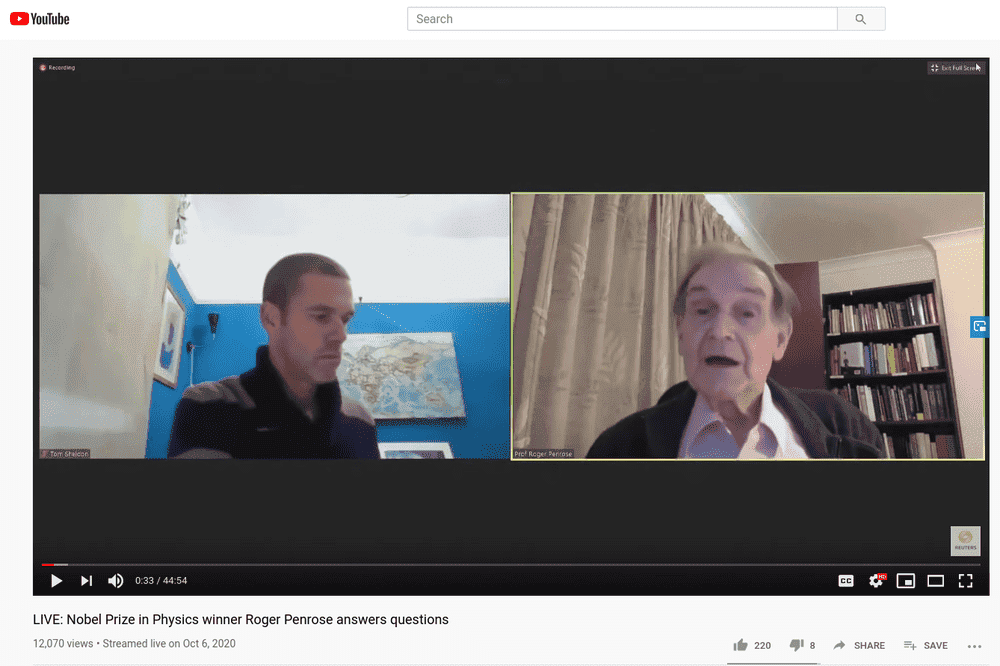
Now with Zoom-Clude®, the amazing nobel prize winning Firefox extension, you can block out the left person on a video of a 2 person zoom meeting. The extensions works on both PF and YouTube. Different occlusion features coming soon!

Before:
Screenshot_2020-10-10_01-38-10.png


After:

Screenshot_2020-10-10_01-38-31.png


Follow this as a guide:

https://developer.mozilla.org/en-US/docs/Mozilla/Add-ons/WebExtensions/Your_first_WebExtension

But use these files (need to also download jquery and make an icon...)

manifest.json

JavaScript:
{
  "manifest_version": 2,
  "name": "zoomclude-left",
  "version": "1.0",

  "description": "removes left person in 2 person zoom screencast",

  "icons": {
    "48": "icons/zoomclude-left.png"
  },

  "content_scripts": [
    {
      "matches": ["<all_urls>"],
      "js": [ "jquery.js", "zoomclude-left.js"]
    }
  ]
}

zoomclude-left.js

JavaScript:
document.body.style.border = "5px solid red";

var mjq = jQuery.noConflict();
function updateZoomClude() {

    mjq(".s9e-miniplayer-inactive").each(function() {     
        if( mjq(this).find( '.zoomclude' ).length == 0 )
        {
            mjq(this).append( "<div class='zoomclude' style='position: absolute; top: 25%; left: 0px;height : 50%; width : 50%;background-color:rgb(36,36,36); z-index:10'></div>" );
        }
    });

    if( ! mjq( '#zoomclude-player' ).length ) {
        mjq("#primary #player").append(
            `<div id='zoomclude-player'
                style='position: absolute;
                top: 25%;
                left: 0px;
                height : 50%;
                width : 50%;
                background-color : rgb(36,36,36);
                z-index:10'></div>` );
    }

   if( ! mjq( '#zoomclude-theater' ).length ) {
        mjq( "#ytd-player" ).append(
            `<div id='zoomclude-theater'
                style='position: absolute;
                top: 25%;
                left: 0px;
                height : 50%;
                width : 50%;
                background-color : rgb(36,36,36);
                z-index:10'></div>` );
    }
}

window.setInterval(function(){
    updateZoomClude();
}, 2000 );
 
Last edited:
  • Haha
Likes   Reactions: yucheng
Computer science news on Phys.org

I would like to provide some insights on the use of the Zoom-Clude® extension. While it may seem like a convenient tool for blocking out people in Zoom videos, it is important to consider the implications of using such technology.

Firstly, it is important to note that this extension may violate the privacy of individuals who are being "occluded" in the video. In some cases, these individuals may not have consented to being removed from the video and may not be aware that they are being excluded. This raises ethical concerns and could potentially lead to legal issues.

Additionally, the use of this extension may also hinder the communication and collaboration between individuals in a virtual meeting. The person who is being blocked out may have important contributions or reactions that are crucial to the discussion. By removing them from the video, the overall quality and effectiveness of the meeting may be compromised.

Furthermore, the extension may not work accurately in all cases, leading to potential misunderstandings or misrepresentations of the conversation. This could also lead to conflicts or issues within the meeting.

I encourage the use of technology to enhance our daily lives, but it is important to use it responsibly and consider the potential consequences. I urge users to think critically before using the Zoom-Clude® extension and to always prioritize respect and consent in all interactions, even in virtual meetings.