E&M fields simulated and visualized in COMSOL, is that how they 'look' IRL?

Click For Summary
SUMMARY

The forum discussion centers on simulating electromagnetic (E&M) fields using COMSOL Multiphysics, specifically with a setup involving a 1mm radius aluminum wire excited by 1A DC within a 10mm radius air sphere. Initial results showed discrepancies in the expected uniformity of the magnetic field, prompting the user to split the simulation into two physics interfaces: Electric Current (ec) and Magnetic Field (mf). This adjustment yielded results more consistent with textbook representations. The discussion also highlights the importance of proper setup and meshing in COMSOL to ensure accurate simulations.

PREREQUISITES
  • Familiarity with COMSOL Multiphysics software
  • Understanding of electromagnetic field theory
  • Knowledge of physics interfaces in COMSOL, specifically Electric Current (ec) and Magnetic Field (mf)
  • Experience with simulation accuracy and mesh refinement techniques
NEXT STEPS
  • Learn how to effectively use COMSOL's Electric Current (ec) and Magnetic Field (mf) physics interfaces
  • Research techniques for calculating and plotting the Poynting vector in COMSOL
  • Explore best practices for mesh refinement and step-size accuracy in simulations
  • Benchmark COMSOL simulations against known results to validate setups
USEFUL FOR

Researchers, engineers, and students in the fields of electromagnetics and computational physics who are utilizing COMSOL for simulating electromagnetic fields and seeking to improve their simulation accuracy and understanding.

vis viva
Messages
29
Reaction score
10
TL;DR
E&M fields simulated and visualized, is that how they 'look' In Real Life ?
Hi

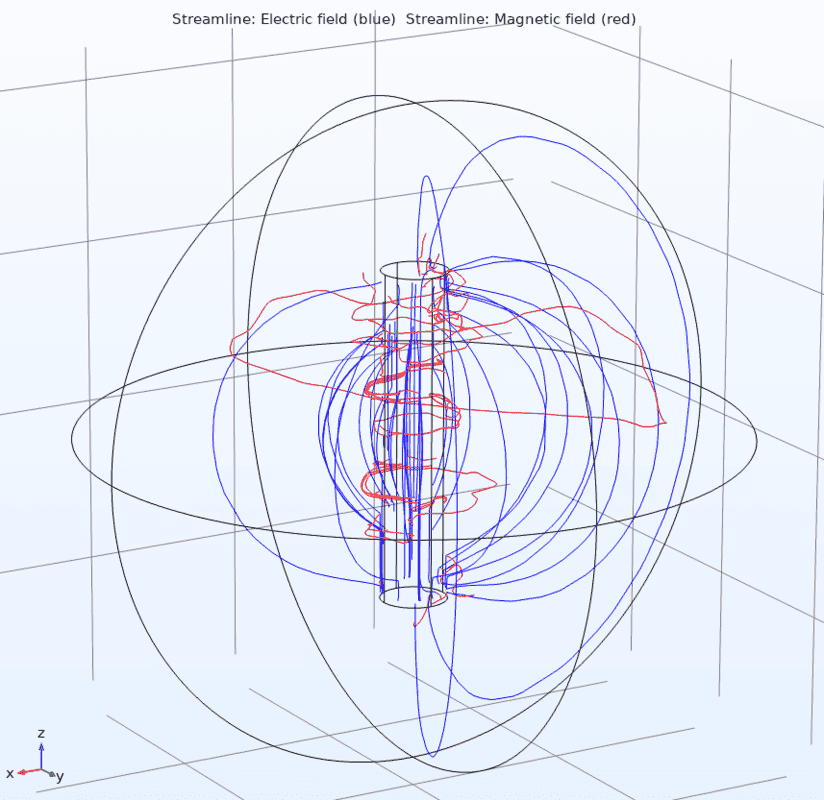
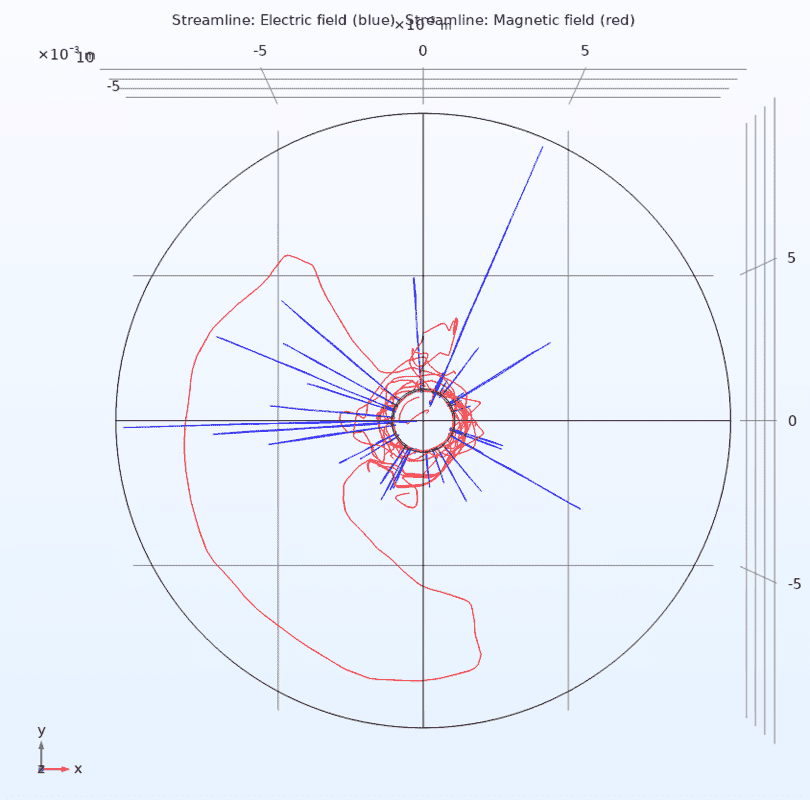
I made a simulation (comsol) of a piece of aluminum wire (r=1mm h=10mm) excited by 1A DC inside a sphere (r=10mm) of air. Here are the 3D plots:
Screenshot from 2020-02-14 13-29-37.png
Screenshot from 2020-02-14 13-30-36.png


Since I ever only have 'seen' E&M fields depicted in textbooks and never in real life, I'm a bit surprised by the simulation result, I would at least have expected the M field to be more uniform like the E field.

I would appreciate if the experienced experts could weigh in here, is that really how real E&M fields would look like? Or maybe my simulation is flawed somehow, that's always a possibility.

Thank you.
KZ
 
Technology news on Phys.org
vis viva said:
Summary:: E&M fields simulated and visualized, is that how they 'look' In Real Life ?

Or maybe my simulation is flawed somehow, that's always a possibility.
it looks pretty flawed. Your source is axisymmetric, so your fields should have axisymmetry also.
 
  • Like
Likes vis viva and Vanadium 50
My thought exactly, I now believe somehow E&M fields may not be fully coupled in the chosen physics interface Magnetic and Electric Fields (mef) despite the documentation stating otherwise. So I split the physics up in two physics interfaces Electric Current (ec) and Magnetic Field (mf), and now the plot looks like in the textbooks:
Screenshot from 2020-02-14 19-42-25.png
Screenshot from 2020-02-14 19-42-50.png


The only slight drawback of two physics interfaces is that the wire needs to be excited for each physics interface i.e. two different ways but resulting in the same.

Now I wonder how I calculate and plot the Poynting vector(?) Probably in the Derived Values in the Results tree, but how.
 
First of all, how do you know that you've set this up correctly? COMSOL requires many tweaking, and just because you are able to produce a picture, it doesn't mean that this has any resemblance to reality. For example, how do you know the step-size is accurate enough, or if your mesh is fine enough that you haven't lost the detail?

Have you used COMSOL before and benchmarked it to something that you know the exact results for?

Zz.
 
First of all, how do you know that you've set this up correctly?

I don't.

COMSOL requires many tweaking

I agree.

just because you are able to produce a picture, it doesn't mean that this has any resemblance to reality.

I agree. But I was aiming for textbook resemblance p.t.

how do you know the step-size is accurate enough, or if your mesh is fine enough that you haven't lost the detail?

I don't. But when I find something that I know the exact results for, then this tweaking step is on the to-do list.

Have you used COMSOL before and benchmarked it to something that you know the exact results for?

No.
 
Then the problem here isn't physics, but rather the use and correct setup of the COMSOL routine.

Zz.
 
Then the problem here isn't physics, but rather the use and correct setup of the COMSOL routine.

Yes I agree, and I thought that was exactly what I said. But I see now that my mentioning of "physics interface" could be construed ambiguously.

"physics interface" is comsol terminology for software libraries that each solves certain/different types of physics problems.

I had initially chosen the physics interface Magnetic and Electric Fields (mef) which turned out to be the wrong choice for this kind of static physics problem i.e. a comsol setup mistake on my behalf.

I was not inferring that "physics" (as defined e.g. by Encyclopædia Britannica ) was the problem.
 
I'm just answering my own rhetorical question about how to calculate and plot the Poynting vector S when E and H is known. Maybe this has some interest from other comsol beginners like me, or maybe not.

It was actually simpler than I thought, you can simply calculate the cross product directly in the form field where you pick the values you want to plot.

Screenshot from 2020-02-15 17-15-50.png


And then the plot looks like below (all vectors are normalized). I note there are slight problems with vectors whose source point is on axis with the wire, but I believe this is a matter of a bit further tweaking.
Screenshot from 2020-02-15 17-16-39.png
 
  • Like
Likes Dale

Similar threads

  • · Replies 6 ·
Replies
6
Views
2K
  • · Replies 1 ·
Replies
1
Views
2K
  • · Replies 9 ·
Replies
9
Views
2K
  • · Replies 30 ·
2
Replies
30
Views
4K
  • · Replies 6 ·
Replies
6
Views
3K
  • · Replies 15 ·
Replies
15
Views
2K
  • · Replies 35 ·
2
Replies
35
Views
11K
  • · Replies 2 ·
Replies
2
Views
3K
  • · Replies 6 ·
Replies
6
Views
2K
  • · Replies 6 ·
Replies
6
Views
4K