How do I insert an image on a LaTex doc?

  • Context: LaTeX 
  • Thread starter Thread starter Saladsamurai
  • Start date Start date
  • Tags Tags
    Image Latex
Join the discussion
Ask a follow-up here, or get your own question answered by working scientists, mathematicians and engineers — people, not an autocomplete.
Real named experts · corrections over time · the nuance an AI answer skips
8 replies · 26K views
Saladsamurai
Messages
3,009
Reaction score
7
I googled this, but all articles assume previous knowledge of Latex.

I am brand new to Latex. I am using TeXshop on my Mac.

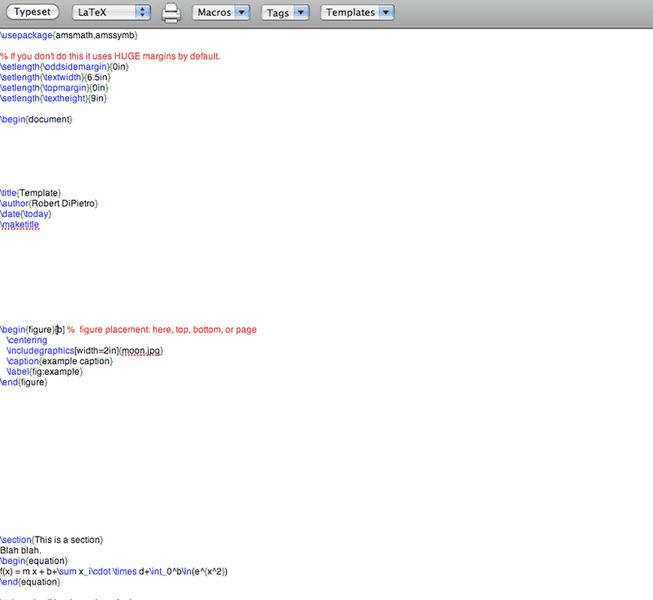
I have a template open and I want to insert a jpg in the document.

I clicked on the "Graphics Template" and then pasted the the name of my picture in there like the template implies. But that doesn't do it (nor do I think it should). Clearly I am missing something here.

Here is a screenshot of my attempt.
Picture2-14.png


Thanks,
Casey
 
Physics news on Phys.org
robphy said:
What is your error message?

did you use \usepackage{graphics} or \usepackage{graphicx}?
http://www.artofproblemsolving.com/LaTeX/AoPS_L_PictMan.php

I tried \usepackage{graphicx} but got nothing... noob question: I put "\usepackage{graphicx} " with all the other "usepackages" at the top of the page right?
 
Last edited by a moderator:
Where does the mage need to be saved? Does that matter?
 
Error message:

Picture3-10.png
 
robphy said:
What is your error message?

did you use \usepackage{graphics} or \usepackage{graphicx}?
http://www.artofproblemsolving.com/LaTeX/AoPS_L_PictMan.php

So I went to this site and copy/pasted this into a doc:

\documentclass{article}
\usepackage[pdftex]{graphicx}
\begin{document}

This is my first image.

\includegraphics{myimage.png}

That's a cool picture up above.
\end{document}
I saved an image as "myimage.png"

I compiled and got nothing.

So I deleted everything except document class and such.

Then I just drag-and-dropped the image from my desktop to the doc and it worked!

It appears to have put the entire file path which I am not sure why the website does not?
 
Last edited by a moderator:
This is kind of annoying. The template implies that you only need to put in the argument {moon.jpg} but when I do that, it does not work.

When I drag and drop an image it automatically prints the line with the entire address. But the address looks like this

../../Users/me/moon.jpg

It literally prints the dots "..."

I use a Mac and cannot figure out how to find the address for certain files?

On PC its just right-click-->properties and you're there.

But with Mac?
 
Not sure if that will be helpful (because I am on a Windows machine and use TeXnicCenter and MikTeX) but the following works for me:

after the declaration of my document class I have

\usepackage{graphicx}

then where I want my figure I use

\begin{figure}[h]
\begin{center}
\scalebox{0.80}{\includegraphics{propagator.eps}}
\caption{\label{mprop} Majorana propagator.}
\end{center}
\end{figure}

where the file propagator.eps is in the same directory as my TeX file. The factor of 0.80 simply scales down the figure to 80%.
 
Saladsamurai said:
It appears to have put the entire file path which I am not sure why the website does not?

Is your image in the same folder as your tex file? If so, then you should not need the entire path.