Ben9622111222
- 31
- 0
Hello,
I have a state space equation at hand.. This attached with this...

Now the term (theta double dot) is a positive step for 0,136 milli seconds and negative step for next 0,136 millisecond and 0 at all other times.
So that when I simulate I will get a graph as below:
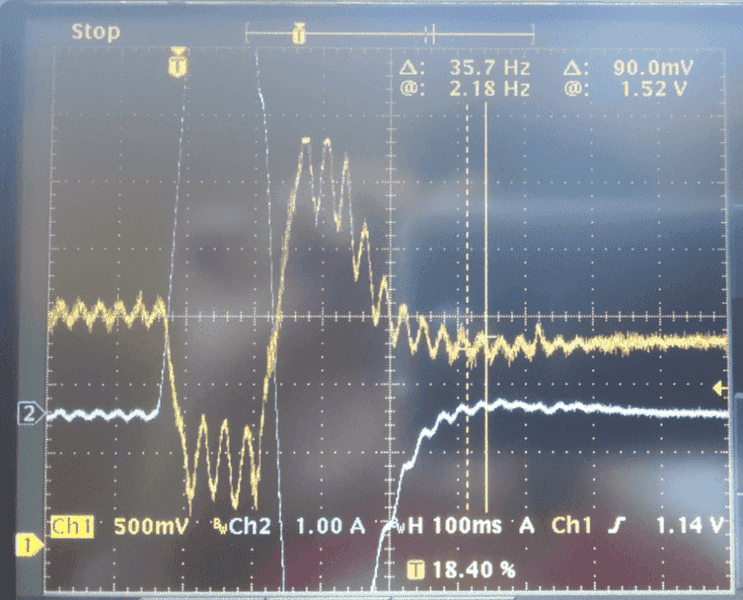
This is the nature of the graph I am expecting.
Iam using Matlab ODE45 to solve this. It is pretty easy I think, but I can't figure out how to give this acceleration function.
I hope the question is clear. The values are
Omega = 219,
Zeta = 0,03
Gamma(i) divided by M(i)=0,01
theta double dot = -63 and +63 in the above said intervals respectively.
I have a state space equation at hand.. This attached with this...
Now the term (theta double dot) is a positive step for 0,136 milli seconds and negative step for next 0,136 millisecond and 0 at all other times.
So that when I simulate I will get a graph as below:
This is the nature of the graph I am expecting.
Iam using Matlab ODE45 to solve this. It is pretty easy I think, but I can't figure out how to give this acceleration function.
I hope the question is clear. The values are
Omega = 219,
Zeta = 0,03
Gamma(i) divided by M(i)=0,01
theta double dot = -63 and +63 in the above said intervals respectively.

