Plain latex code not working in Physics forum

Join the discussion
Ask a follow-up here, or get your own question answered by working scientists, mathematicians and engineers — people, not an autocomplete.
Real named experts · corrections over time · the nuance an AI answer skips
6 replies · 3K views
Pushoam
Messages
961
Reaction score
53
I have written a solution of problem in LYX.
I exported the lyx code as latex plain code.
I opened the latex plain code in Tex studio and copied it and pasted it in Physics forum
and it didn't work.
Can anyone please tell me what should I do?
Should I again type the latex code here i.e.Physics Forum?
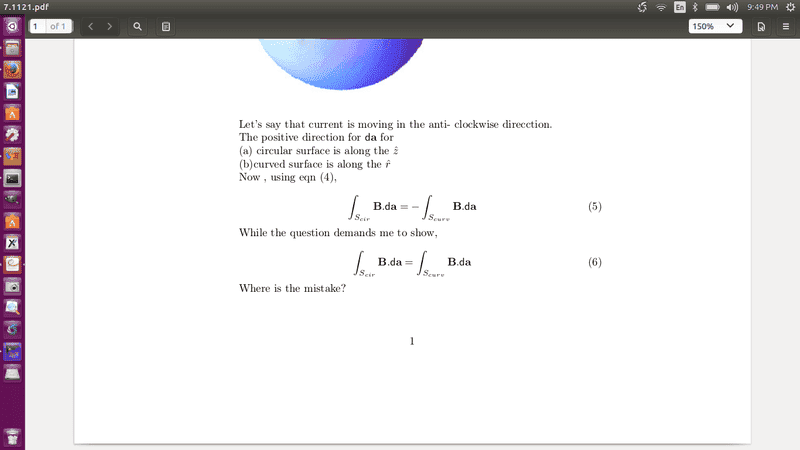
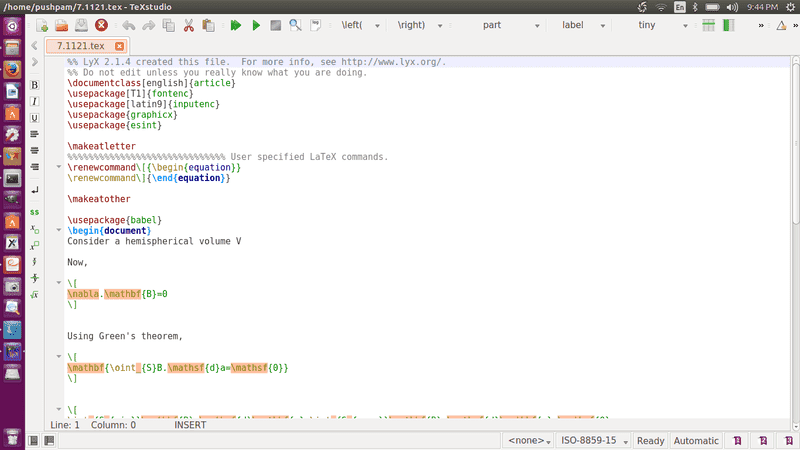
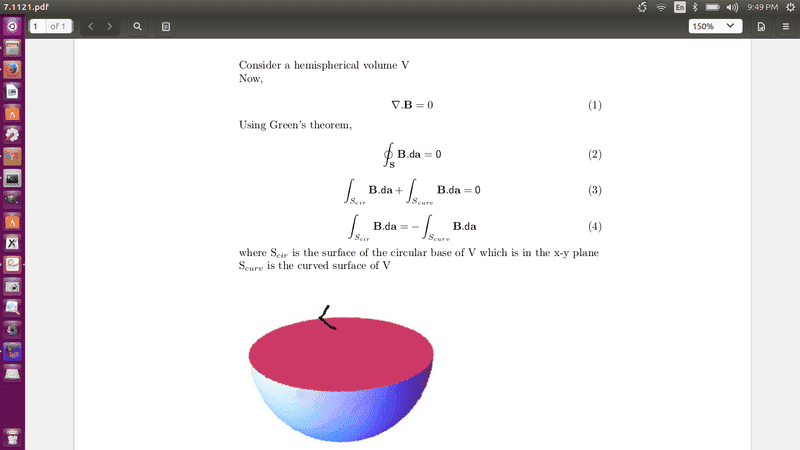
I am attaching the Latex code and corresponding pdf.

The tex file is not accepted here.So, attaching images.
first1.png
2nd.png
first.png
 

Attachments

  • second.png
    second.png
    33.6 KB · Views: 639
  • 3rd.png
    3rd.png
    31.6 KB · Views: 609
Physics news on Phys.org
Have you looked at the first thread in the Math and Latex forum? It should explain what you need to do.

Usually we must use double # or double $ before and after each expression so that mathjax can identify it.
 
Last edited:
  • Like
Likes   Reactions: Pushoam
I don't think MathJax supports LaTeX commands that are associated with creating complete documents: \documentclass, \usepackage, etc. (which I see in your screenshots but are not in the list of supported commands:

http://docs.mathjax.org/en/latest/tex.html#supported-latex-commands

MathJax is intended for including individual equations in HTML pages, not for producing/presenting complete LaTeX documents.
 
  • Like
Likes   Reactions: Pushoam
jtbell said:
I don't think MathJax supports LaTeX commands that are associated with creating complete documents: \documentclass, \usepackage, etc. (which I see in your screenshots but are not in the list of supported commands:

http://docs.mathjax.org/en/latest/tex.html#supported-latex-commands

MathJax is intended for including individual equations in HTML pages, not for producing/presenting complete LaTeX documents.

##\require{cancel}\cancel{ \text{Buffu} } ## I am no expert but I can use cancel package by using command ##\text{\require}##.
 
  • Like
Likes   Reactions: jedishrfu
Wow! That's one way of banning yourself in text with a flair while not really banning yourself from PF.

Pretty cool, I didn't notice that tag before. I guess you'd use it to cancel terms and factors.
 
  • Like
Likes   Reactions: Buffu
jedishrfu said:
Wow! That's one way of banning yourself in text with a flair while not really banning yourself from PF.

Pretty cool, I didn't notice that tag before. I guess you'd use it to cancel terms and factors.
'
I did not know strikeout means banned from PF.