How to open an STL Mesh file in Linux

  • Thread starter Thread starter JD_PM
  • Start date Start date
  • Tags Tags
    File Linux Mesh
Join the discussion
Ask a follow-up here, or get your own question answered by working scientists, mathematicians and engineers — people, not an autocomplete.
Real named experts · corrections over time · the nuance an AI answer skips
9 replies · 4K views
JD_PM
Messages
1,125
Reaction score
156
TL;DR
I want to figure out how to open a STL file in Linux
I am building up a mesh via defining a background mesh (using blockMesh) and snappyHexMesh

I am dealing with the STL 2D Mesh surface (I cannot uploaded because PF doesn't accept zip files nor STL).

My issue comes when I want to open it. When I run vi constant/triSurface/river.stl in the linux terminal I get the following messy output
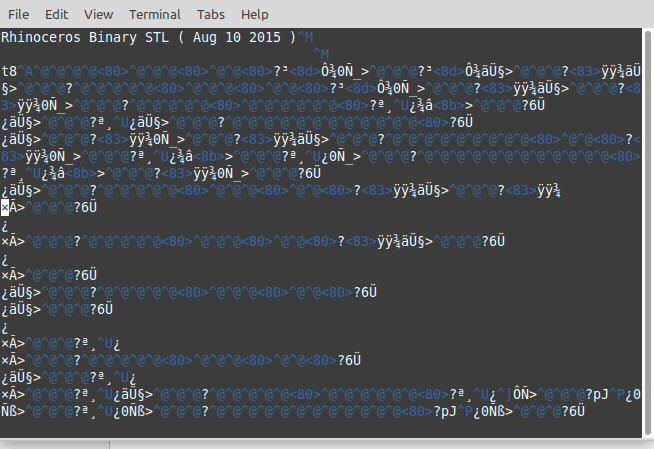
BugWhenOpeningSTLfile.png


This might be because I do not have an installed software (in Linux) to open the file. I looked up how to fix the problem (introducing the commands recommended in the most upvoted answer here: https://askubuntu.com/questions/247398/what-software-should-i-install-for-opening-stl-files) but it did not work.

Any help is appreciated :)
 
on Phys.org
Vi doesn't show you anything helpful because the STL is a binary file, not a text file.

What do you want to do with the mesh? If you want to view and edit it then, as one of the askubuntu replies notes, Blender ought to be able to import it. Install it (it's free software and you can get it via apt/aptitude/whatever package manager you like) and go to File -> Import and one of the options should be STL. Be aware that Blender has a fairly steep learning curve.
 
  • Like
Likes   Reactions: JD_PM
Google says there's plenty of ways to convert .stl files from binary to ascii.
 
hmmm27 said:
Google says there's plenty of ways to convert .stl files from binary to ascii.
But converting a binary file to ascii might not be any help at all.
 
Mark44 said:
But converting a binary file to ascii might not be any help at all.
gotta work better than vi .
 
That's why I asked what OP wants to do.

There are both binary and ASCII STL formats, and converting the file to ASCII would allow text processing tools to modify it and allow direct manual viewing and editing in vi. It's only really practical for very simple meshes, but it can be done. Opening in Blender or similar would allow visualisation and editing.
 
Ibix said:
Vi doesn't show you anything helpful because the STL is a binary file, not a text file.

What do you want to do with the mesh?

The main aim is not to visualize it (to do so I use paraView) but to check the text associated to it (yellow box).

437297987348274NNDNDJ732784.png


The point of this is that, later in the tutorial, I split the STL file, open the generated STL file and compare it to the first

437297987348274NNDNDJ732784.png
 
The problem is that there are both binary and ASCII formats for STL files. You have a binary file but the notes assume you have an ASCII file. You either need to tell the software that produced the file to produce an ASCII STL instead of a binary one (assuming that's possible in your program), or get a program to convert binary STLs to ASCII.
 
  • Like
Likes   Reactions: JD_PM
Thank you Ibix, I got it! :biggrin:

Ibix said:
get a program to convert binary STLs to ASCII.

I used paraView, did this, run vi constant/triSurface/river.stl and it worked!
 
Ibix said:
You either need to tell the software that produced the file to produce an ASCII STL instead of a binary one (assuming that's possible in your program), or get a program to convert binary STLs to ASCII.
Or do the editing in paraView itself - that is what it is for.