jackhero
- 4
- 0
I designed two geometries (one for beam/line reinforcements and other second for a solid block shown below) in Ansys workbench spaceclaim for static structural analysis.

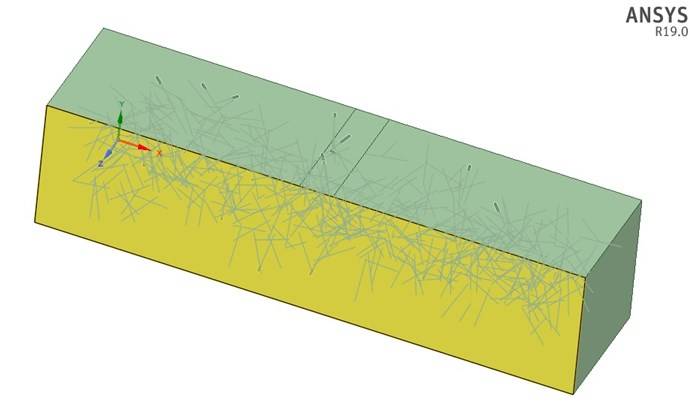
In Ansys workbench Mechanical, I got a weird mesh for the reinforcements which I modeled as beam in Spaceclaim (shown below in the first image). The mesh looked ok for the block (shown below in the second image along with the reinforcements).
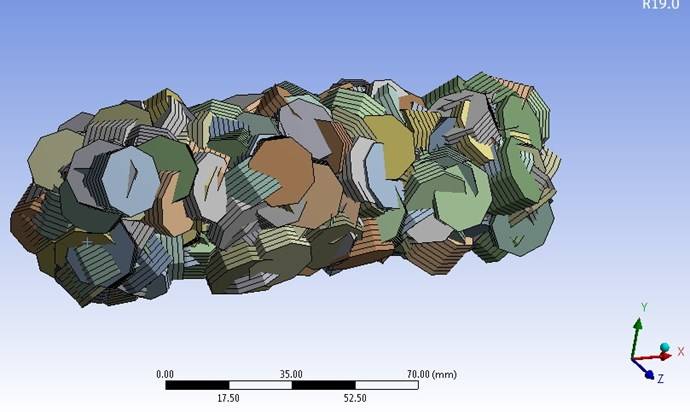
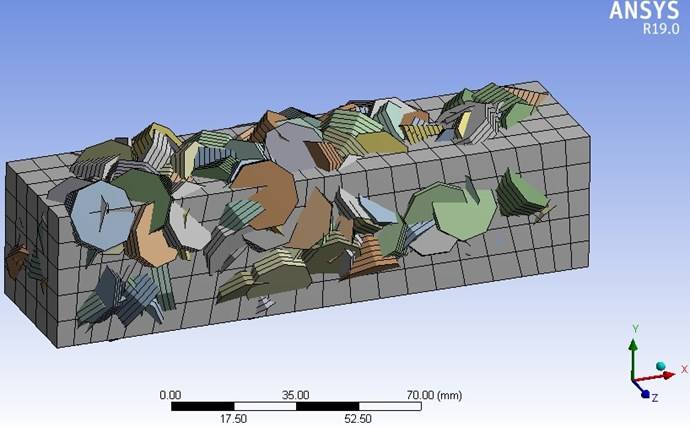

I converted the beam elements to Link180 via APDL command. I ran the model but I had the following error,
A solver pivot warning or error has been detected in the UX degree of freedom of node 7206 located in Design2\Beam (Circle). This is usually a result of an ill conditioned matrix possibly due to unreasonable material properties, an under constrained model, or contact related issues. Check results carefully. You may select the offending object and/or geometry via RMB on this warning in the Messages window.
I think the geometry of reinforcement (beam/line) and block (solid) are not connected. I also tried Share Topology to connect node-to-node but still the problem is present. I also ran the Modal Analysis and I had the zero frequency result.
Can someone please guide me on this issue?
In Ansys workbench Mechanical, I got a weird mesh for the reinforcements which I modeled as beam in Spaceclaim (shown below in the first image). The mesh looked ok for the block (shown below in the second image along with the reinforcements).
I converted the beam elements to Link180 via APDL command. I ran the model but I had the following error,
A solver pivot warning or error has been detected in the UX degree of freedom of node 7206 located in Design2\Beam (Circle). This is usually a result of an ill conditioned matrix possibly due to unreasonable material properties, an under constrained model, or contact related issues. Check results carefully. You may select the offending object and/or geometry via RMB on this warning in the Messages window.
I think the geometry of reinforcement (beam/line) and block (solid) are not connected. I also tried Share Topology to connect node-to-node but still the problem is present. I also ran the Modal Analysis and I had the zero frequency result.
Can someone please guide me on this issue?


