Spurious diagonal lines and black screens on Win 10 Pro

  • Thread starter Thread starter Wrichik Basu
  • Start date Start date
  • Tags Tags
    Lines
Click For Summary

Discussion Overview

The discussion revolves around graphical issues experienced on a HP Probook 450 G6 running Windows 10 Professional, specifically the appearance of spurious diagonal lines and black screens in various applications, including web browsers. Participants explore potential causes and solutions, including hardware and software aspects.

Discussion Character

  • Technical explanation
  • Debate/contested
  • Exploratory

Main Points Raised

  • One participant reports issues with spurious lines in MS Edge and black screens in Chrome after the laptop was functioning normally earlier in the day.
  • Another participant suggests upgrading video device drivers, referencing a past experience with Ubuntu where a driver issue caused similar problems.
  • Some participants argue that the diagonal lines may not be a video problem, proposing that they could be related to the browser's rendering rather than hardware or drivers.
  • A link to a Stack Overflow thread is shared, indicating that hardware acceleration in Chrome settings might be a contributing factor, particularly with NVidia drivers.
  • A later reply mentions that rolling back the graphic card drivers resolved the issue, suggesting that the problem may have been related to recent driver updates.
  • One participant notes the technical aspects of how the Desktop Windows Manager compositor works, indicating a deeper exploration of the graphical rendering process.

Areas of Agreement / Disagreement

Participants express differing views on whether the issue is related to hardware, drivers, or browser-specific problems. There is no consensus on the root cause, though some solutions are proposed.

Contextual Notes

Participants mention multiple graphic cards (Intel and Nvidia) and the potential impact of recent driver updates. The discussion includes references to external threads and resources for further exploration.

Who May Find This Useful

Users experiencing similar graphical issues on Windows 10, particularly with HP laptops or those using Chrome and Edge browsers, as well as those interested in troubleshooting driver-related problems.

Wrichik Basu
Science Advisor
Insights Author
Gold Member
Messages
2,186
Reaction score
2,694
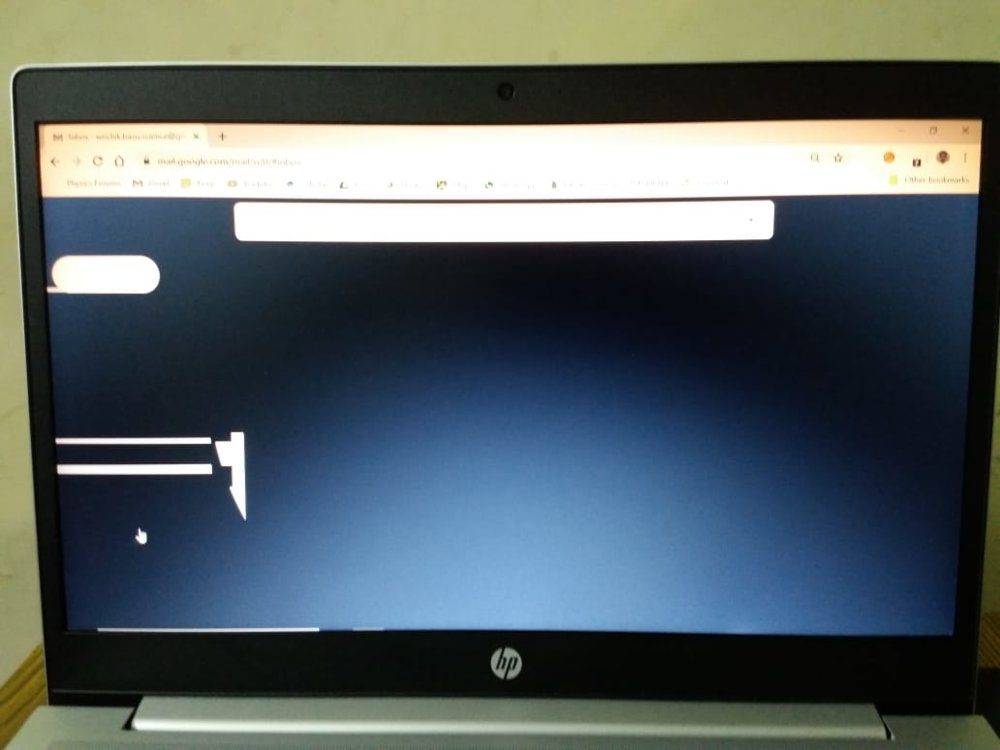
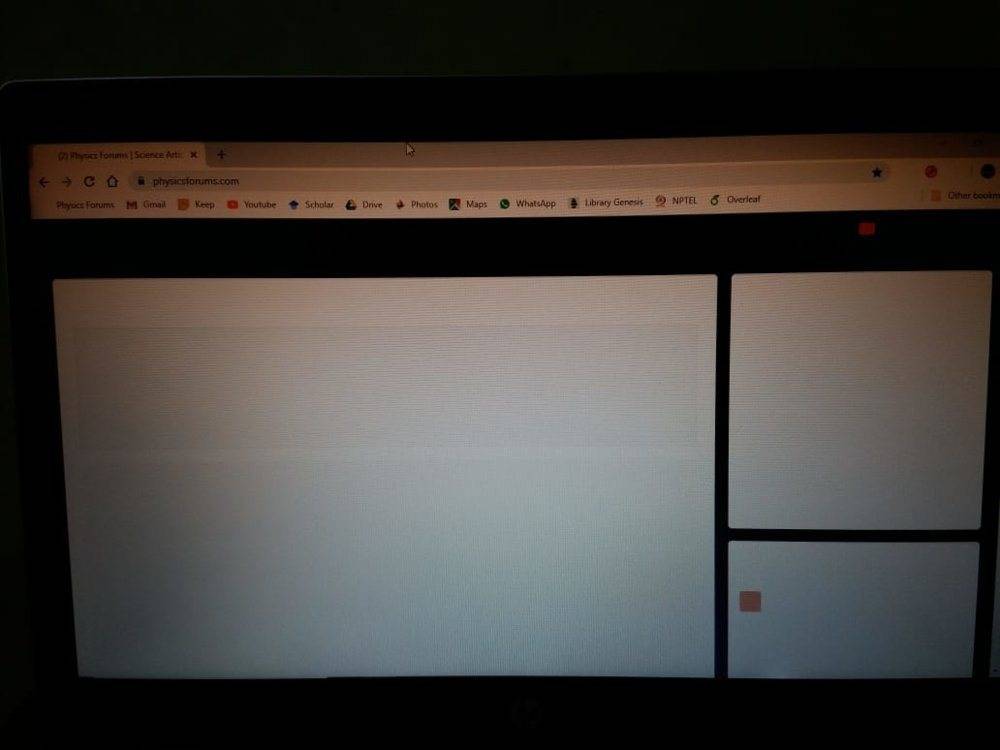
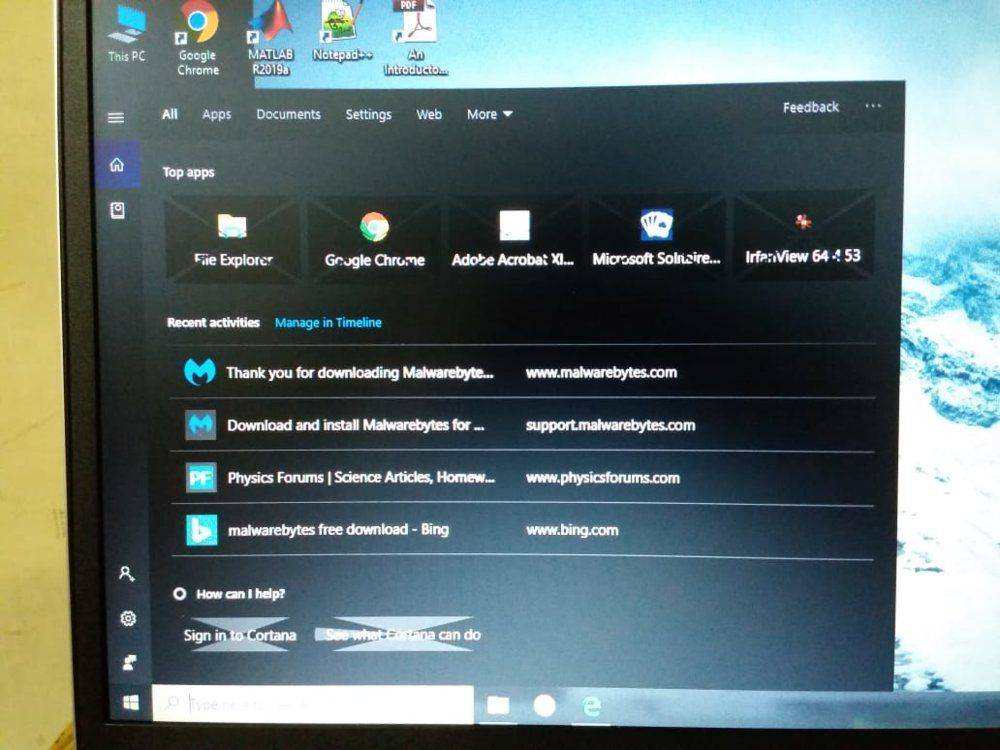
I own a HP Probook 450 G6, with Windows 10 Professional. The laptop was working properly till today morning. Now, when I started it this evening, I started getting spurious lines from MS edge. Chrome is displaying complete black screens.
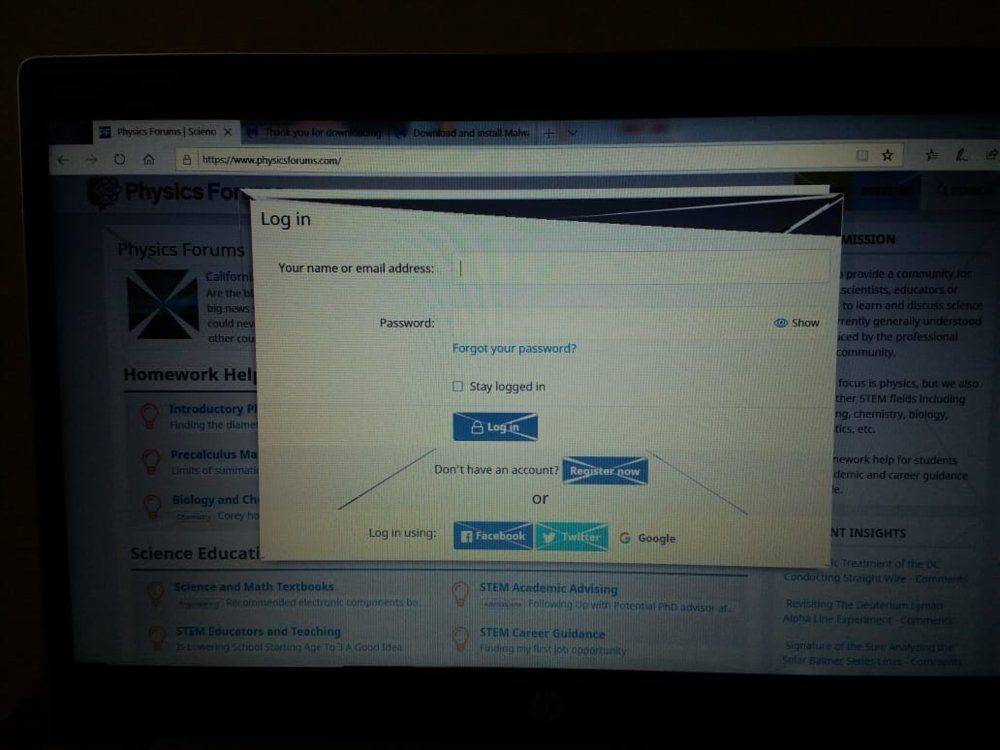
IMG-20191017-WA0013.jpg

PF from MS Edge

IMG-20191017-WA0011.jpg

Gmail from Chrome

IMG-20191017-WA0009.jpg

PF from Chrome

IMG-20191017-WA0010.jpg

While using search option from task bar.

I restarted several times, cleared cache, prefetch and temp folders, but without any luck. I just can't accept that the PC was running fine this morning, and maybe within 12 hours, these problems started. Malwarebytes and Windows security report a clean system without any virus.

Please help.
 

Attachments

  • IMG-20191017-WA0012.jpg
    IMG-20191017-WA0012.jpg
    76 KB · Views: 373
Computer science news on Phys.org
Do you need to upgrade video device drivers?

I know a few years back an Ubuntu update broke my video until 6 mos later they fixed the issue. Basically they dropped support for some driver and so the default driver took over but it didn't support the right features. I had to fall back to an earlier kernel release to recover until the fix came through.

Tom's hardware has some info:

https://forums.tomshardware.com/threads/windows-10-lines-across-screen.2685678/
You might find more info searching via "diagonal lines in screen display windows 10"
 
I don't think that's a video problem.

Those diagonal lines aren't spruious - they match the boxes created in HTML.

This suggests it has more to do with the browser than the hardware or drivers.

1571329957884.png
 
  • Like
Likes   Reactions: jedishrfu
Thanks for your input, @jedishrfu and @DaveC426913. The fact that the lines appeared even in start menu indicated that this might not be a browser-specific problem. I was frantically searching for a solution, and chanced upon this thread:
https://answers.microsoft.com/en-us...y-screen/a7ccaeca-50c5-41d3-8963-6c8ef7d5d702The advice given there was to roll back device drivers for graphic cards. I have two graphic cards - Intel and Nivida. Right-clicking the start menu, there is an option "Device Manager". From there, I rolled back the two device drivers, and Voila! Everything returned to normal.
 
  • Like
Likes   Reactions: jedishrfu
Interesting glitch. Never seen that before. Gives a little bit of a peak into how the Desktop Windows Manager compositor maps image buffers onto quads and then gpu breaks them into triangles.
 
  • Like
Likes   Reactions: Wrichik Basu and jedishrfu

Similar threads

  • · Replies 12 ·
Replies
12
Views
4K
  • · Replies 18 ·
Replies
18
Views
19K