Spurious diagonal lines and black screens on Win 10 Pro

  • Thread starter Thread starter Wrichik Basu
  • Start date Start date
  • Tags Tags
    Lines
Join the discussion
Ask a follow-up here, or get your own question answered by working scientists, mathematicians and engineers — people, not an autocomplete.
Real named experts · corrections over time · the nuance an AI answer skips
5 replies · 3K views
Messages
2,188
Reaction score
2,694
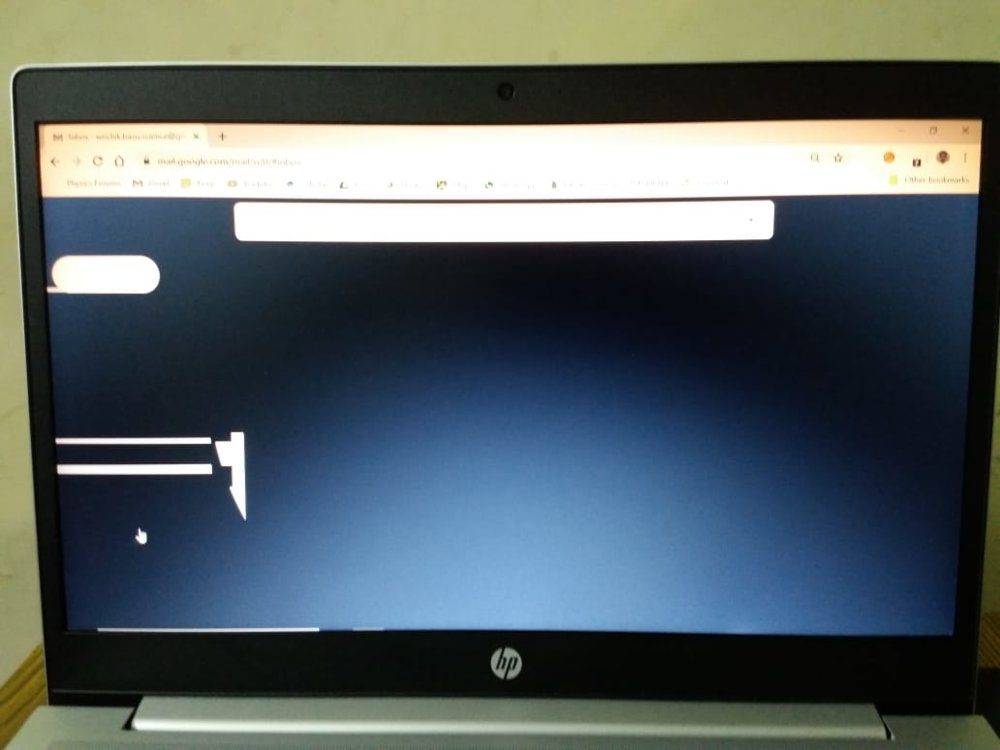
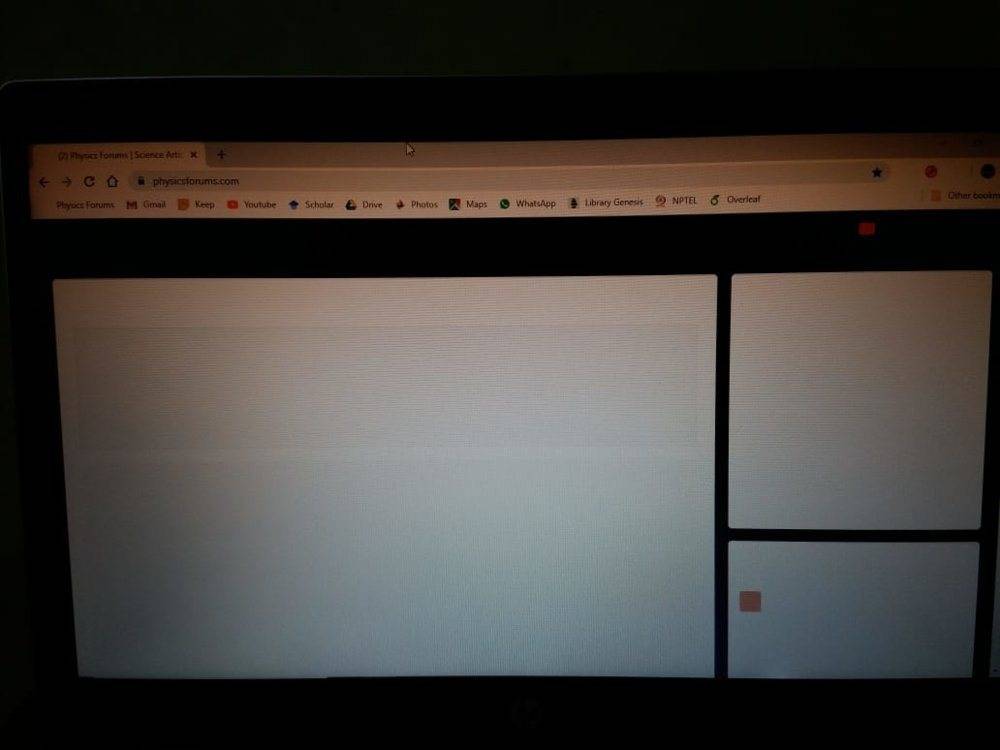
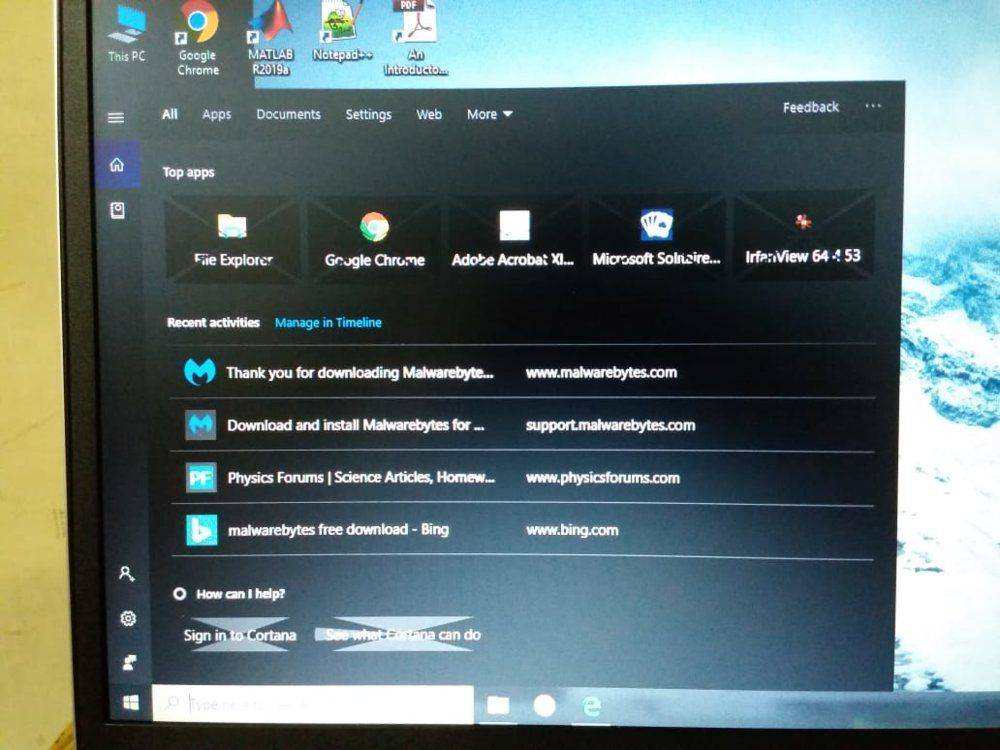
I own a HP Probook 450 G6, with Windows 10 Professional. The laptop was working properly till today morning. Now, when I started it this evening, I started getting spurious lines from MS edge. Chrome is displaying complete black screens.
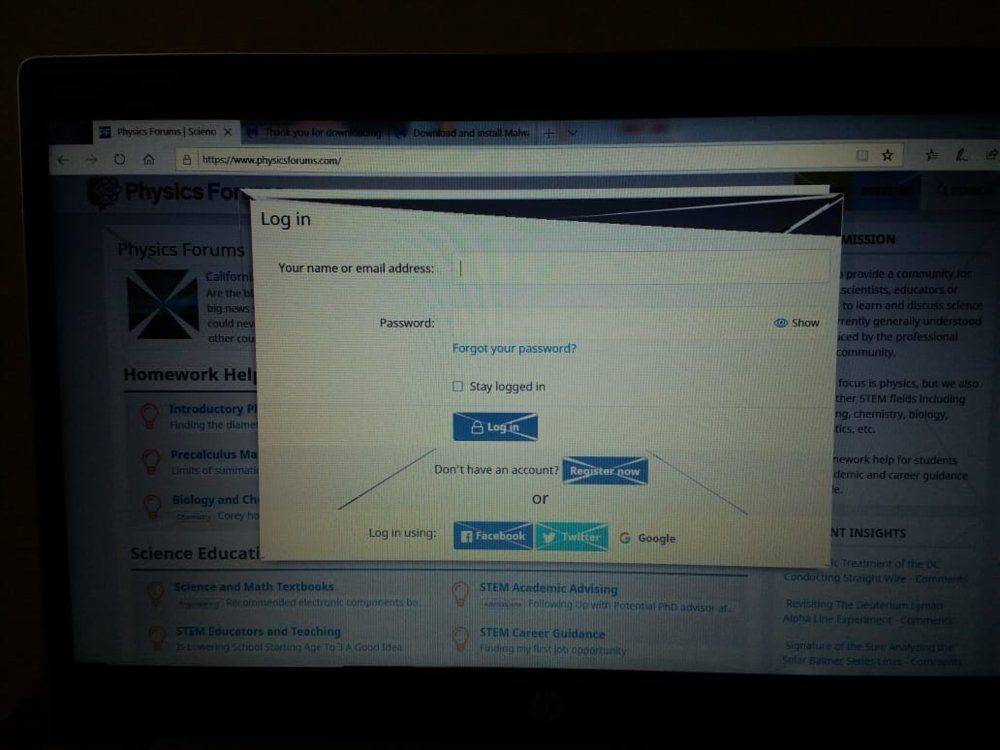
IMG-20191017-WA0013.jpg

PF from MS Edge

IMG-20191017-WA0011.jpg

Gmail from Chrome

IMG-20191017-WA0009.jpg

PF from Chrome

IMG-20191017-WA0010.jpg

While using search option from task bar.

I restarted several times, cleared cache, prefetch and temp folders, but without any luck. I just can't accept that the PC was running fine this morning, and maybe within 12 hours, these problems started. Malwarebytes and Windows security report a clean system without any virus.

Please help.
 

Attachments

  • IMG-20191017-WA0012.jpg
    IMG-20191017-WA0012.jpg
    76 KB · Views: 383
on Phys.org
Do you need to upgrade video device drivers?

I know a few years back an Ubuntu update broke my video until 6 mos later they fixed the issue. Basically they dropped support for some driver and so the default driver took over but it didn't support the right features. I had to fall back to an earlier kernel release to recover until the fix came through.

Tom's hardware has some info:

https://forums.tomshardware.com/threads/windows-10-lines-across-screen.2685678/
You might find more info searching via "diagonal lines in screen display windows 10"
 
I don't think that's a video problem.

Those diagonal lines aren't spruious - they match the boxes created in HTML.

This suggests it has more to do with the browser than the hardware or drivers.

1571329957884.png
 
  • Like
Likes   Reactions: jedishrfu
Thanks for your input, @jedishrfu and @DaveC426913. The fact that the lines appeared even in start menu indicated that this might not be a browser-specific problem. I was frantically searching for a solution, and chanced upon this thread:
https://answers.microsoft.com/en-us...y-screen/a7ccaeca-50c5-41d3-8963-6c8ef7d5d702The advice given there was to roll back device drivers for graphic cards. I have two graphic cards - Intel and Nivida. Right-clicking the start menu, there is an option "Device Manager". From there, I rolled back the two device drivers, and Voila! Everything returned to normal.
 
  • Like
Likes   Reactions: jedishrfu
Interesting glitch. Never seen that before. Gives a little bit of a peak into how the Desktop Windows Manager compositor maps image buffers onto quads and then gpu breaks them into triangles.
 
  • Like
Likes   Reactions: Wrichik Basu and jedishrfu