Which Program for Drawing Statics & Dynamics Mechanicals and Setting Dimensions?

Join the discussion
Ask a follow-up here, or get your own question answered by working scientists, mathematicians and engineers — people, not an autocomplete.
Real named experts · corrections over time · the nuance an AI answer skips
8 replies · 5K views
kakarotto
Messages
4
Reaction score
0
TL;DR
I want draw Statics And Dynamics mechanical same this color and font and all i ask about software
which The Program (Software) Using To Draw Statics And Dynamics Mechanichal Same This 100% When Create This below Which Program Using ?
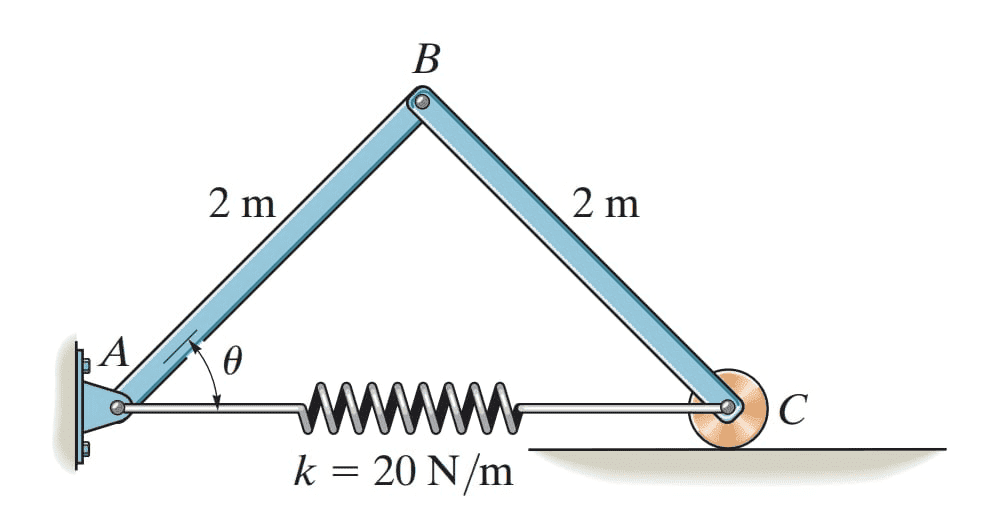
1609271744837.png
And set Dimensions
Thanks For All
 
Physics news on Phys.org
I use a cheap little CAD package called QuickCAD, put out long ago by AutoCAD. It is a rather slow process, but I can draw anything I want with it.
 
  • Like
Likes   Reactions: kakarotto and dlgoff
  • Like
Likes   Reactions: kakarotto
Dr.D said:
I use a cheap little CAD package called QuickCAD, put out long ago by AutoCAD. It is a rather slow process, but I can draw anything I want with it.
It's a little less powerful than AutoCAD but I've been using AutoSketch for windows for years.
 
  • Like
Likes   Reactions: kakarotto
Dr.D said:
I use a cheap little CAD package called QuickCAD, put out long ago by AutoCAD. It is a rather slow process, but I can draw anything I want with it.
Thanks Dlgoff My question When Draw this image which program using any Example ?
 
robphy said:
Thanks Do You know what exactly software using to make Book or more victor (High Quality) Statics Dynamic image ?
 
dlgoff said:
It's a little less powerful than AutoCAD but I've been using AutoSketch for windows for years.

Thanks Really ?? AutoSketch Using to Do same This Image ?
 
kakarotto said:
Thanks Do You know what exactly software using to make Book or more victor (High Quality) Statics Dynamic image ?
I did a Google Images search for drawing diagrams for statics problems and got many similar images to what you posted. I would click into some of those sources of images to see if you can tell what drawing package they used.

For example, you could try sending an e-mail to these folks to see if they will tell you what drawing tools they use:

http://mechanicsmap.psu.edu/about.html

Be aware that a lot of these types of drawings were done a while ago, and may have been hand-drawn. It sounds like you would like to find a modern equivalent to obtain the same type of look...
 
This text http://ruina.tam.cornell.edu/Book/ (on page iv.)
suggests that they used Adobe Illustrator and MATLAB for their graphics.

I would guess that most of the graphics produced in these kinds of texts are done with Illustrator,
and done by someone with some technical skill. As others suggested, maybe a CAD program could be used.
As I suggested above, someone might have put together a "free" package that could be used to make these images to convey the physical principles.

It's not clear if your emphasis is
physical content [possibly with physically correct proportions, which requires a computation]
or 3D-realistic artwork (with shading etc...).