Wikipedia Not Working? 48 Hr Struggles & Frustration

  • Thread starter Thread starter Ryan_m_b
  • Start date Start date
  • Tags Tags
    Wikipedia
Click For Summary
SUMMARY

Users have reported issues accessing Wikipedia over the past 48 hours, experiencing prolonged loading times and "Oops!" error messages. The problem appears to be related to specific IP blacklisting, particularly for users on shared wireless networks. Suggested troubleshooting steps include rebooting devices, clearing browser cache and cookies, and using proxy servers as a temporary workaround. Ultimately, one user resolved the issue by restarting their device after a period of inactivity.

PREREQUISITES
  • Understanding of browser cache and cookies management
  • Familiarity with proxy servers and their usage
  • Basic troubleshooting skills for internet connectivity issues
  • Knowledge of IP blacklisting and its implications
NEXT STEPS
  • Research methods for clearing browser cache and cookies in Chrome and Firefox
  • Learn how to set up and use proxy servers effectively
  • Investigate IP blacklisting and how to check if your IP is blacklisted
  • Explore general troubleshooting techniques for internet connectivity issues
USEFUL FOR

Internet users experiencing access issues, IT support professionals, and anyone interested in troubleshooting network problems.
Ryan_m_b
Staff Emeritus
Science Advisor
Homework Helper
Insights Author
Messages
5,963
Reaction score
727
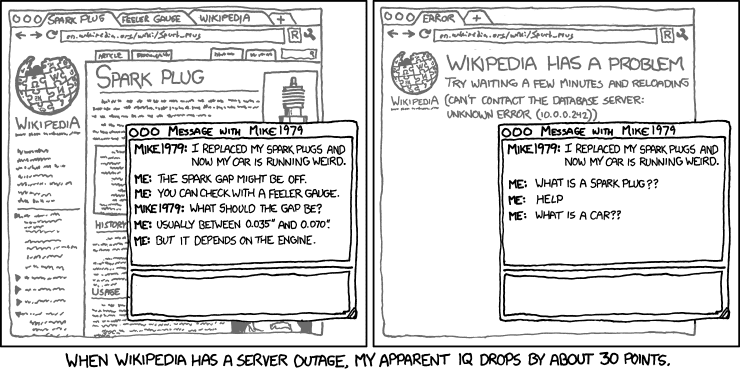
For the last 48 hours I've struggled to get onto wikipedia. Every other website works fine for me except wiki, my browser just sits there loading for minutes! Sometimes it works but most of the time I get an "Oops!" message. Is this happening to anyone else? It's frustrating considering how much I (and many threads in PF) rely on wikipedia for reference. I think this best sums up how I feel

extended_mind.png
 
Computer science news on Phys.org
Ok, I'm pretty sure it's just me because I can get on with a proxy server. :cry: Anyone have any suggestions about how to fix it??
 
Strange, I've been on it quite a bit this evening without issue (from Aus). Not sure where the host would be though.
 
Wiki worls fine with me...
 
micromass said:
Wiki worls fine with me...

Yeah it's definitely me. Balls.
 
Sounds to me like you might have an infection. Have you been engaging in usafe, unprotected relations on the open internet? Oh Ryan, and I thought you were a good boy.
 
ryan_m_b said:
Yeah it's definitely me. Balls.
Did you try rebooting? Or, close your browser, clear your cache, then retry. If that doesn't work, repeat but also clear cookies, and restart. Usually one of these will fix the problem.
 
In case problems persist, consult your Doc. Please remember we can't give medical advice at PF.
 
Wiki has never worked reliably for me.
 
  • #10
Evo said:
Did you try rebooting? Or, close your browser, clear your cache, then retry. If that doesn't work, repeat but also clear cookies, and restart. Usually one of these will fix the problem.

Didn't work :frown: I'll keep messing around.
 
  • #11
ryan_m_b said:
Didn't work :frown: I'll keep messing around.
Wow, they've blacklisted your IP?
 
  • #12
Evo said:
Wow, they've blacklisted your IP?

Looks like it. Annoyingly I live in accommodation that provides Wireless internet for everyone in the building so one of them must have got us all blacklisted. Bugger. On the plus side I can still get through on proxies and my tenancy only has a month left.
 
  • #13
:biggrin: :biggrin: :biggrin: Yay fixed it with the time honoured method of turning it off, going to sleep and trying again in the morning! My IQ is back :biggrin: :biggrin: :biggrin:
 

Similar threads

  • · Replies 12 ·
Replies
12
Views
4K
  • Sticky
  • · Replies 0 ·
Replies
0
Views
4K
  • · Replies 3 ·
Replies
3
Views
12K
  • · Replies 11 ·
Replies
11
Views
2K
  • · Replies 4 ·
Replies
4
Views
3K
  • · Replies 5 ·
Replies
5
Views
2K
Replies
81
Views
10K
Replies
5
Views
2K
  • · Replies 3 ·
Replies
3
Views
1K
  • · Replies 3 ·
Replies
3
Views
1K