yungman
- 5,741
- 291
I was working on a program and for whatever reason my Solution Explorer change again. Now when I toggle to Inventory.sln, this is what I have:
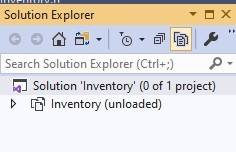 It said Inventory(unloaded). I had Header Files and Source Files with all the files in them, now it's gone.
When I toggle to the other view, the files are still there:
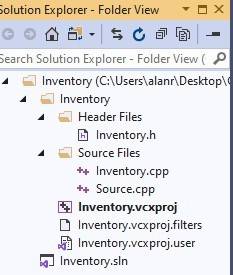
I don't know what I did to make it like this and I don't know how to get it back. Please help.Also I created the project Inventory, I use Add-->New to add Inventory.h, Inventory.cpp and source.cpp. But it still it complains it cannot fine Inventory.h. Here is the printout of part of the Inventory.vcxproj that show they are all there:
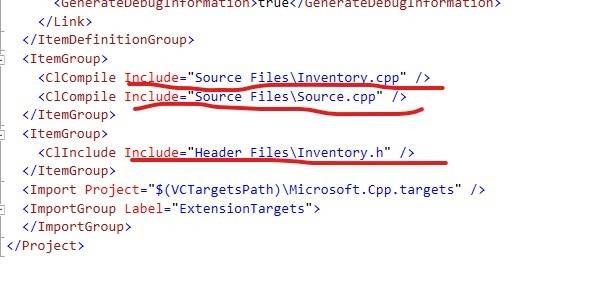
Please advice.
Thanks
When I toggle to the other view, the files are still there:
I don't know what I did to make it like this and I don't know how to get it back. Please help.Also I created the project Inventory, I use Add-->New to add Inventory.h, Inventory.cpp and source.cpp. But it still it complains it cannot fine Inventory.h. Here is the printout of part of the Inventory.vcxproj that show they are all there:
Please advice.
Thanks