Science Advisor
Gold Member
- 1,753
- 143
I am trying to hook up my old hard drive to my newer computer. I've done this before on a different computer with success, but this time it won't work.
My old hard drive is from a Windows 98 computer. It is a Quantum Bigfoot TX. My newer computer is Windows XP.
I unplugged my CD/R cables and inserted them into my old hard drive. It has a data cable with lots of pins, and a power cable with 4 wires.
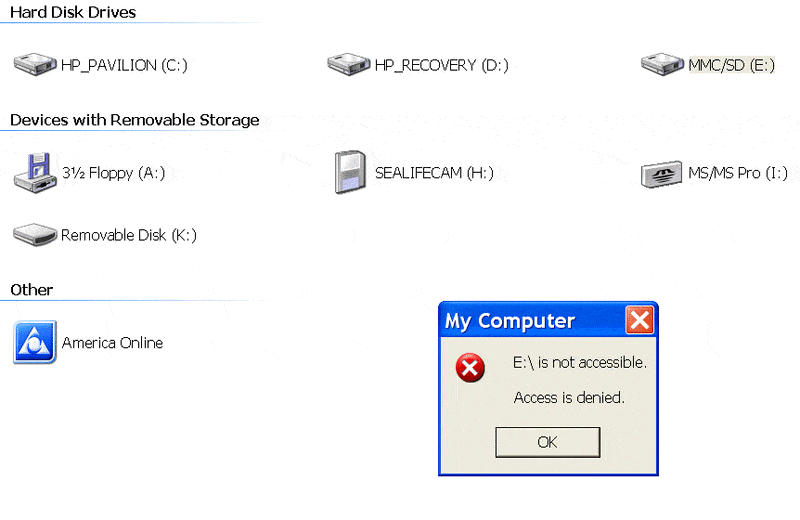
My computer assigns it a drive letter of E. But when I open My Computer to E it tells me that drive E is not accessable.
If I'm interpreting it right, the online documentation ( http://perso.orange.fr/rayp/HD/QUANT...es/bf_a_tx.htm )for this hard drive shows only two settings for the jumper, either across the DS pins, or removed completely. I've tried both settings.
Here's some pictures to clarify what I'm doing:
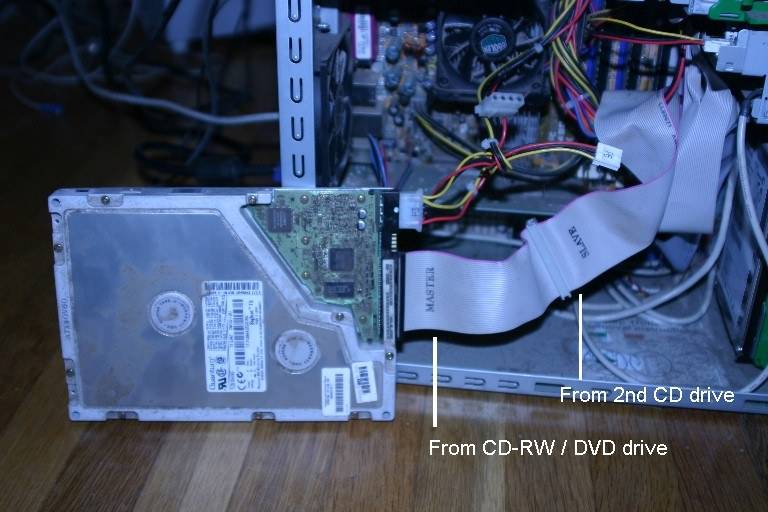
The one that says master was hooked up to my CDRW/DVD-R drive. The one that says Slave was hooked up to the second (CD only) drive.
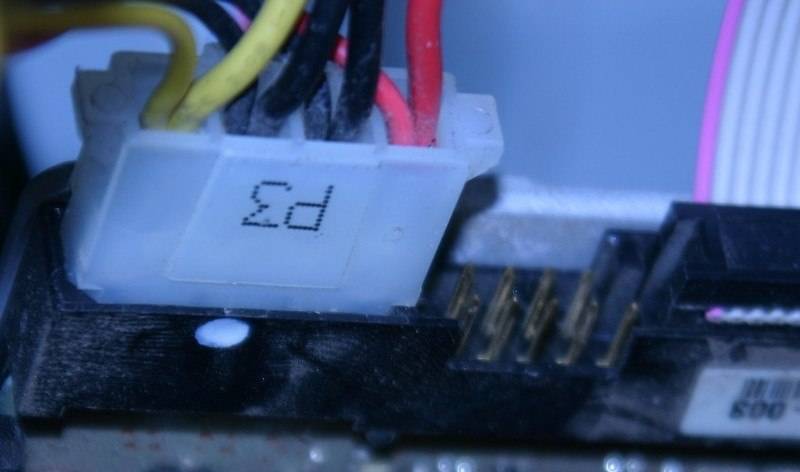
The pins. In this attempt, I removed the jumper completely.
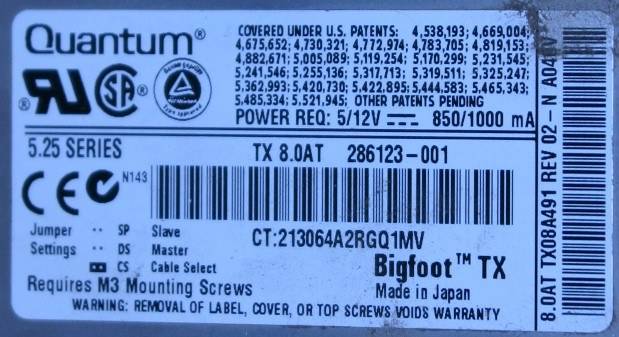
The label from the hard drive. I don't understand what it is saying about the pins. And I'm not sure the link I provided above is the correct one for this hard drive.
During the bootup process, the green light on the old hard drive comes on a few times and it makes its hard drive woodpecker sound, so I know its getting power. It assigns it to drive E, but when I access it it does not make noise, nor does the green light come on. It says:
My old hard drive is from a Windows 98 computer. It is a Quantum Bigfoot TX. My newer computer is Windows XP.
I unplugged my CD/R cables and inserted them into my old hard drive. It has a data cable with lots of pins, and a power cable with 4 wires.
My computer assigns it a drive letter of E. But when I open My Computer to E it tells me that drive E is not accessable.
If I'm interpreting it right, the online documentation ( http://perso.orange.fr/rayp/HD/QUANT...es/bf_a_tx.htm )for this hard drive shows only two settings for the jumper, either across the DS pins, or removed completely. I've tried both settings.
Here's some pictures to clarify what I'm doing:
The one that says master was hooked up to my CDRW/DVD-R drive. The one that says Slave was hooked up to the second (CD only) drive.
The pins. In this attempt, I removed the jumper completely.
The label from the hard drive. I don't understand what it is saying about the pins. And I'm not sure the link I provided above is the correct one for this hard drive.
During the bootup process, the green light on the old hard drive comes on a few times and it makes its hard drive woodpecker sound, so I know its getting power. It assigns it to drive E, but when I access it it does not make noise, nor does the green light come on. It says: