What is this inside the printer?

  • Thread starter jake jot
  • Start date
5 replies · 2K views · last reply
jake jot
Messages
302
Reaction score
17
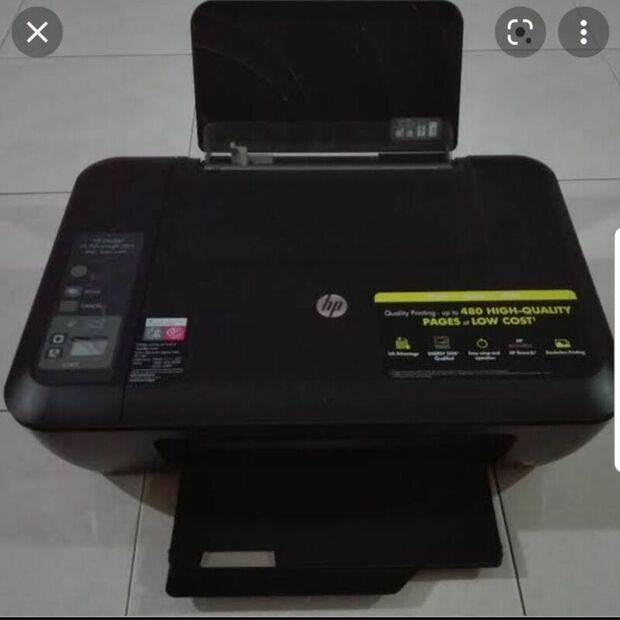
My printer is HP2515

Black HP all-in-one inkjet printer on a tiled floor, with its top lid raised and the scanner lid closed; the front panel shows HP Deskjet 2515 branding and a 'Quality Printing up to 480 high-quality pages at low cost' label.
This is inside of it when I opened the ink cartridge door.

Interior of an HP inkjet printer with the ink cartridge door open, showing the cartridge carriage and a black and grey cartridge holder with a purple and grey cartridge sticker label reading HP Ink Cartridge C2Z80B 678.


What I printed a paper last night.. there was a protrusion in the left side which blocks it (that crumples it):
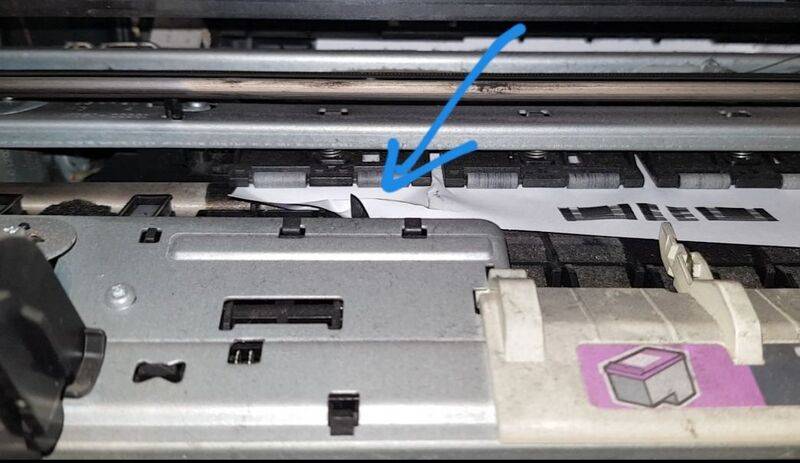
Photo inside an inkjet printer with the cartridge door open, showing a sheet of paper caught on a raised plastic tab and a blue arrow pointing to the bent paper edge.


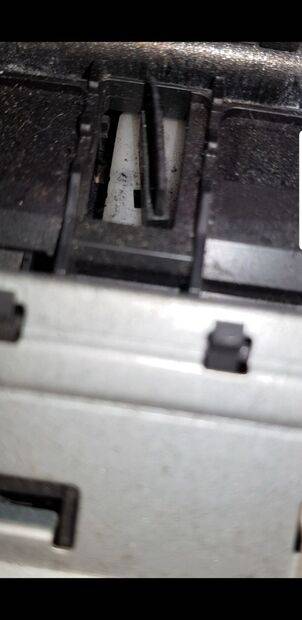
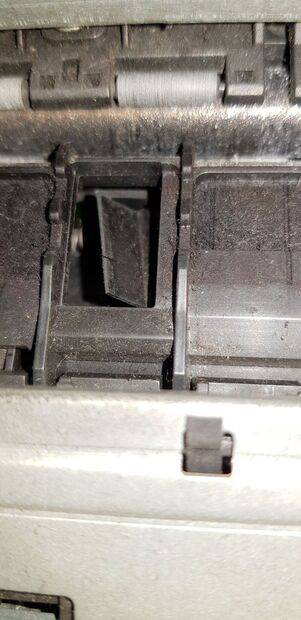
This is zoom of it:

Close-up photo inside an inkjet printer showing a dark plastic carriage with a white paper-guide tab raised up in a slot, next to a grey metal frame with small black plastic clips.


Close-up photo inside an inkjet printer showing a dark plastic paper guide flap raised up in a slot beside grey rollers and metal frame parts.
What is it? Why does it raise up and block the paper when I am printing? I can press it down after blocking. But it raised up and block the paper when attempting to print again.

Thanks in advance to those who can help.
 
A stray bit of broken plastic ? Can you pull it out easily ?
 
Could be a Paper Guide.
Check that you have specified the correct size paper to print on.
 
Tom.G said:
Could be a Paper Guide.
Check that you have specified the correct size paper to print on.

How does the paper guide work in your printer? I thought it was a differential device.
 
jake jot said:
My printer is HP2515

View attachment 295608This is inside of it when I opened the ink cartridge door.

View attachment 295609

What I printed a paper last night.. there was a protrusion in the left side which blocks it (that crumples it):

View attachment 295610

This is zoom of it:

View attachment 295611

View attachment 295612What is it? Why does it raise up and block the paper when I am printing? I can press it down after blocking. But it raised up and block the paper when attempting to print again.

Thanks in advance to those who can help.
Well, you could maybe tape it down. Just saying.