Discussion Overview
The discussion revolves around the issue of a Windows 10 PC not recognizing an Android ZTE device when connected via USB. Participants explore potential causes and solutions, including software updates, device settings, and hardware checks.
Discussion Character
- Technical explanation
- Debate/contested
- Exploratory
Main Points Raised
- One participant notes that the computer previously recognized the device without issues, suggesting a recent change may have caused the problem.
- Another participant raises the possibility that political issues involving ZTE could be affecting device recognition.
- Some participants mention that certain Android devices require specific apps or settings to function properly over USB, which could have been altered by updates.
- There is a suggestion that the USB connection mode may not be set to file transfer, which is necessary for recognition.
- One participant shares a personal experience of successfully accessing files after changing the USB mode on their device.
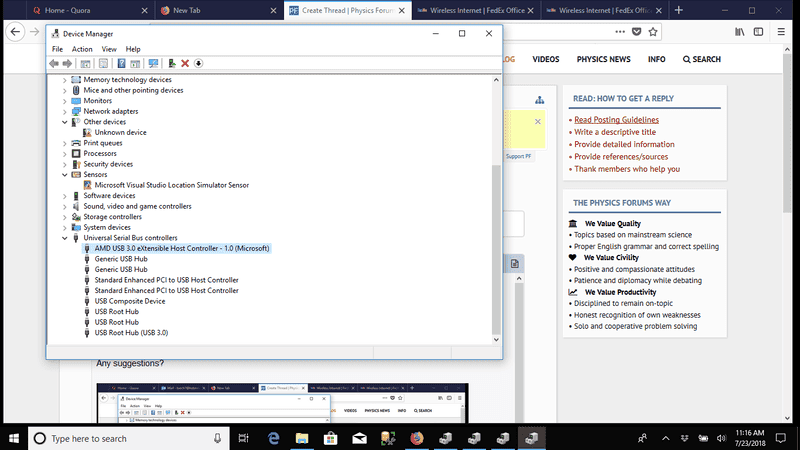
- Multiple participants discuss the potential need for driver updates or system checks, referencing tools like System File Check (SFC).
- There are mentions of troubleshooting steps, including testing different USB cables and ports, as well as checking for other USB devices' recognition on the PC.
- Some participants express frustration over the inconsistency of device recognition across different Windows versions and devices.
Areas of Agreement / Disagreement
Participants express a variety of viewpoints and suggestions, with no consensus reached on a single solution. Multiple competing theories about the cause of the issue remain unresolved.
Contextual Notes
Participants note the potential influence of software updates on both the Android device and Windows 10, as well as the variability in USB connection modes that may affect recognition.
Who May Find This Useful
This discussion may be useful for users experiencing similar issues with Android devices not being recognized by Windows 10, particularly those seeking troubleshooting steps or insights into potential causes.