Darkmisc
- 222
- 31
- TL;DR
- I have a button that overlaps with a touchscreen button. When I press the button, it also presses the touchscreen button underneath. Can I stop this from happening?
Hi everyone
I have a button that overlaps with a touchscreen button. I want to be able to press the button without also pressing the touchscreen button. I can't use the .hide() function on the touchscreen button because I don't want to disable the whole touchscreen button.
Is there something I can use to block half of the touchscreen button (in the same way that you can block a button)?
If all else fails, I'm just going to make the button smaller or convert the touchscreen button to a regular button, but I'd rather not for aesthetic reasons. Thanks
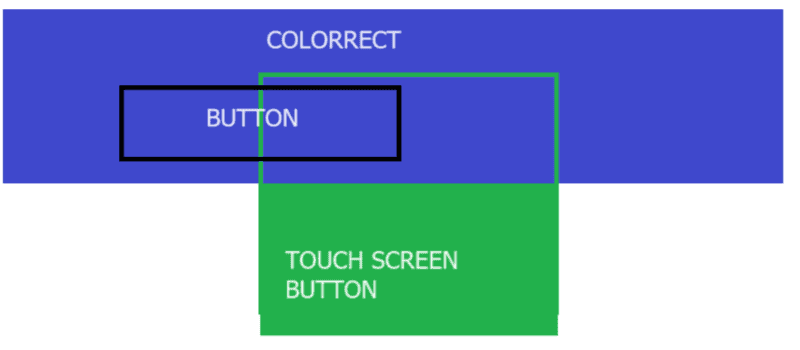
I have a button that overlaps with a touchscreen button. I want to be able to press the button without also pressing the touchscreen button. I can't use the .hide() function on the touchscreen button because I don't want to disable the whole touchscreen button.
Is there something I can use to block half of the touchscreen button (in the same way that you can block a button)?
If all else fails, I'm just going to make the button smaller or convert the touchscreen button to a regular button, but I'd rather not for aesthetic reasons. Thanks