LinkedIn resume upload not working as expected

  • Thread starter DaveC426913
  • Start date
  • Tags Tags
    Pdf Resume
6 replies · 2K views · last reply
DaveC426913
Gold Member
2025 Award
Messages
24,779
Reaction score
9,206
TL;DR
I haven't touched LinkedIn in a decade. Everything's gone and it doesn't seem very easy to rebuild.
Changing jobs for the first time in a decade is requiring me to have an up-to-date LinkedIn profile.
All my previous content is gone. I guess it expires?

Anyway, I should be able to upload a PDF and have it auto-populate my profile - but that function does not work as expected.

Here is what I am trying to do:

Build a resume:

Screenshot of a LinkedIn profile menu with the More dropdown open, showing Send profile in a message, Save to PDF, Build a resume (highlighted in yellow) and About this profile.


This takes me here: note the "supported formats" message:
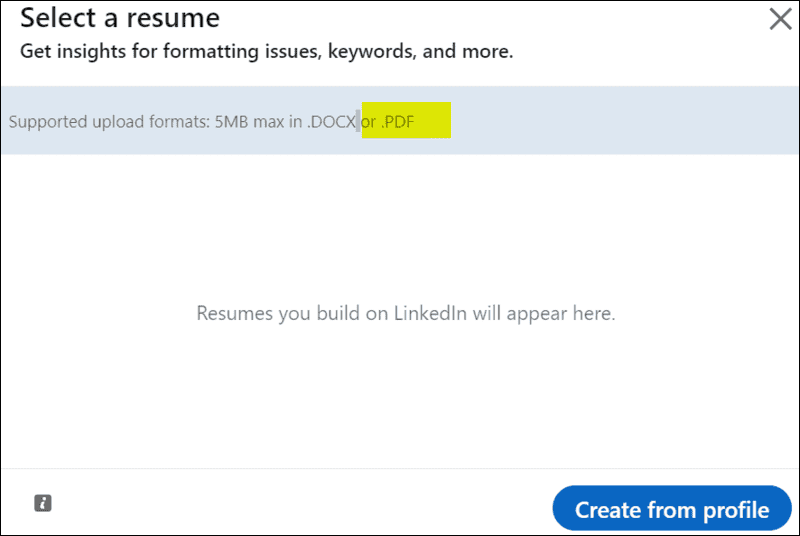
LinkedIn 'Select a resume' dialog stating supported upload formats are 5MB max in .DOCX or .PDF, with the '.DOCX or .PDF' text highlighted in yellow, and a blue 'Create from profile' button.


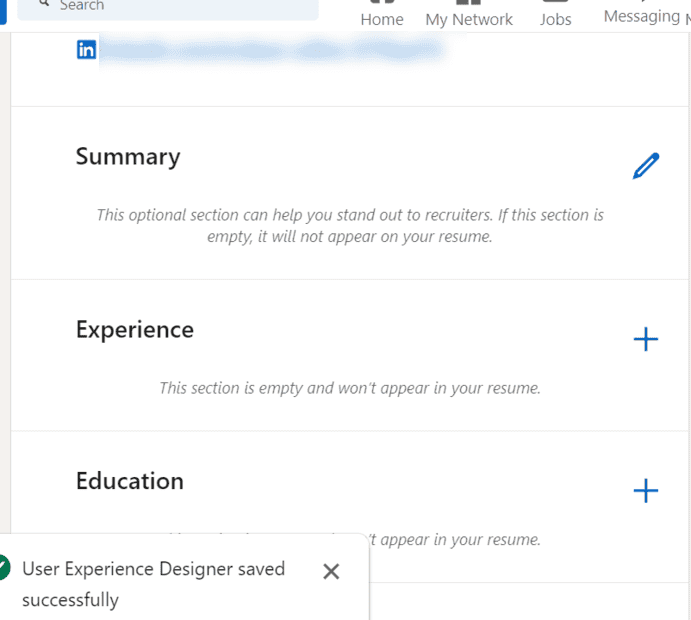
There are no live buttons on that page except Create from Profile, so that takes me here:

LinkedIn dialog titled "Choose your desired job title" with a Job title field containing "User E" and a dropdown of suggestions including User Experience Designer, with Skip and Apply buttons.


I can Skip or Apply. Either way I'm brought back to my home page:
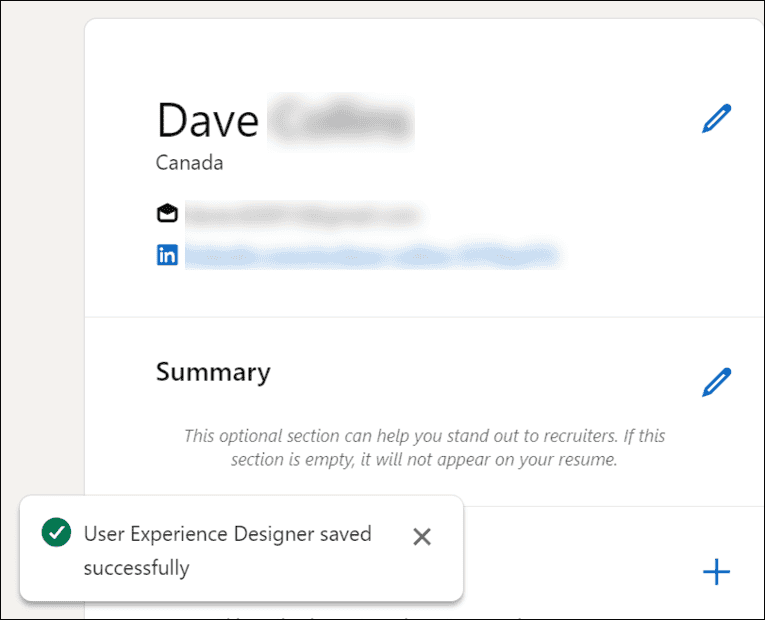
Screenshot of a LinkedIn resume builder showing a name, location Canada, blurred email and profile fields, a Summary section with an edit pencil, and a green toast reading 'User Experience Designer saved successfully'.

Screenshot of a LinkedIn resume builder with Summary, Experience and Education sections, each with an edit or add button, and a green toast reading User Experience Designer saved successfully.

All I can do here is start adding content. But nowhere is there any functionality for any uploading of documents - in the promised formats or otherwise.
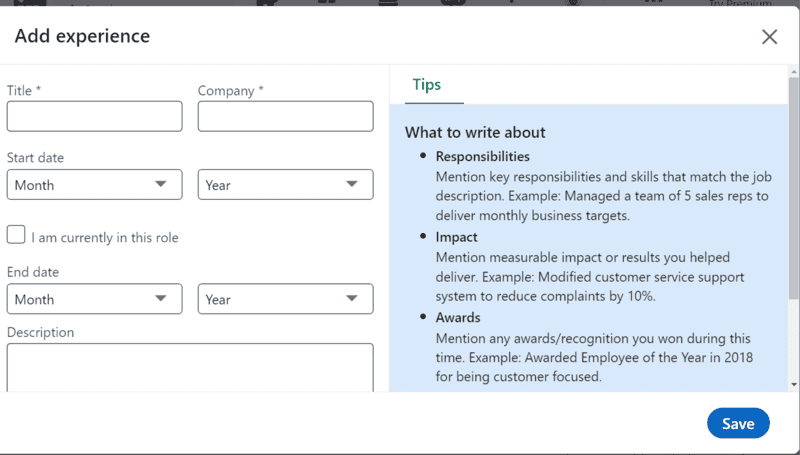
Screenshot of the LinkedIn 'Add experience' dialog with empty Title, Company, Start date, End date and Description fields, and a Tips panel listing what to write about.


What gives??


I mean, I can upload a resume, over here on the Job Application section:
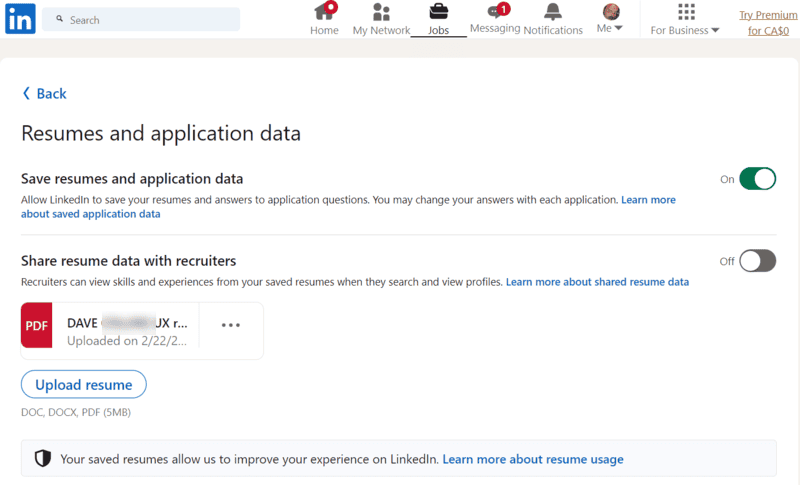
LinkedIn Resumes and application data settings page showing 'Save resumes and application data' switched on, 'Share resume data with recruiters' switched off, one uploaded PDF resume entry, and an 'Upload resume' button.


It even says I can upload it to my profile:

Screenshot of LinkedIn help text: 'If you uploaded your resume while applying for a job on LinkedIn, it'll be visible to that employer. If you uploaded your resume to your profile, it'll be visible to viewers of your profile.' Both sentences are highlighted in yellow.


I just find no functonality to do so.
 
Last edited:
I'm glad you figured out the right place to upload the resume. What a chore to find it!

My LinkedIn profile seems to have survived okay over the years, but maybe because I visit that website a couple times a year just following links that I'm sent from them via e-mail? I don't know why they would have deleted your history; that's obnoxious, IMO.

Best of luck on your job search now, luckily the economy is doing pretty well and there are lots of job postings. You may also try posting and searching on Indeed, and at least down here in California CalJOBS is a pretty good and active job seeking website. I'm not sure what the equivalent is up in your neck of the woods.
 
berkeman said:
I'm glad you figured out the right place to upload the resume.
No.

The instructions are wrong. The option to upload to my profile does not exist there.
 
Oh, rats. I'd lose the LinkedIn thing and focus on Indeed and other resources then. If I were doing a search for candidates, I'd go to Indeed first (and now I personally would use CalJOBS here in NorCal since I've seen how active that website is).
 
I would too. Except those sites ask for your LinkedIn profile for their clients' benefit.

Is it just me or is Indeed mostly contract work, and mostly overseas at that?
 
Looks like you want the second[/size] link on the page you referenced.

"Upload your resume to your Linkedin account via Settings for future job applications"

Cheers,
Tom

(No guarantees though, I've never used Linkedin)