Discussion Overview
The discussion revolves around identifying software programs suitable for drawing statics and dynamics mechanical diagrams, including setting dimensions. Participants share their experiences with various tools and seek recommendations for achieving high-quality images for academic or illustrative purposes.
Discussion Character
- Exploratory
- Technical explanation
- Debate/contested
Main Points Raised
- One participant mentions using QuickCAD, describing it as a slow but capable CAD package for drawing mechanical diagrams.
- Another suggests the Physics Mechanics Clip Art Maker by Tom Walsh as a source of inspiration for creating diagrams, along with links to other resources for drawing mechanical systems.
- Some participants inquire about specific software used to create high-quality static and dynamic images, expressing interest in modern equivalents to traditional methods.
- A participant references a text that indicates Adobe Illustrator and MATLAB were used for graphics, suggesting that Illustrator is commonly employed for producing technical illustrations.
- There is a discussion about whether the focus should be on physical accuracy or aesthetic quality in the diagrams, highlighting different potential priorities in the drawing process.
Areas of Agreement / Disagreement
Participants do not reach a consensus on a single software recommendation, as multiple tools are proposed, and preferences vary based on individual experiences and needs.
Contextual Notes
Some participants express uncertainty about the specific capabilities of the mentioned software, and there is a lack of clarity regarding the best approach for achieving desired visual outcomes in mechanical drawings.
Who May Find This Useful
This discussion may be useful for individuals seeking software recommendations for creating mechanical diagrams, particularly in academic or engineering contexts.
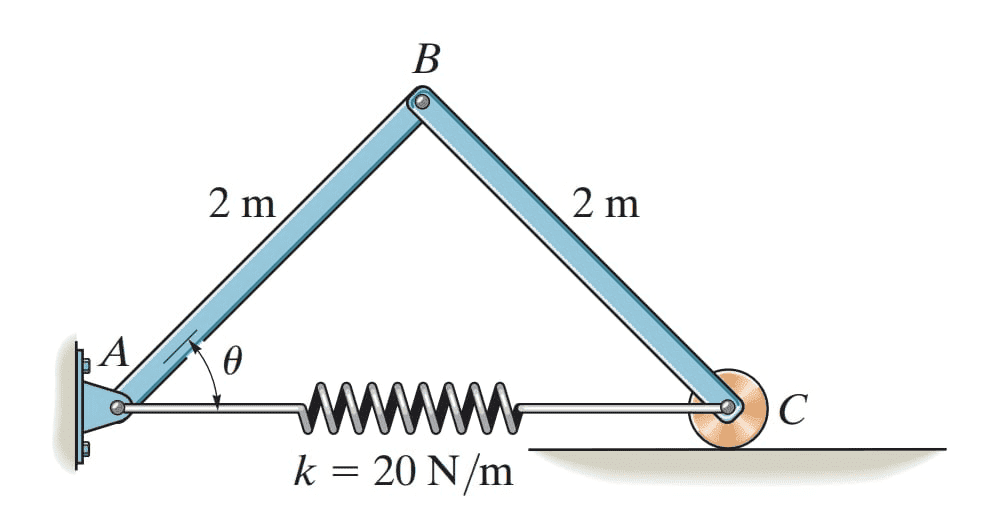 And set Dimensions