Discussion Overview
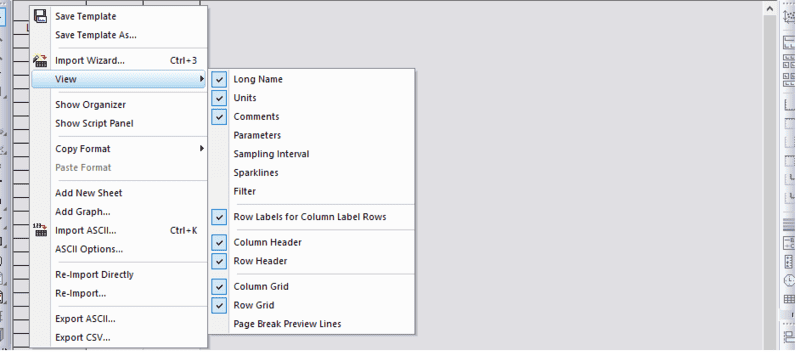
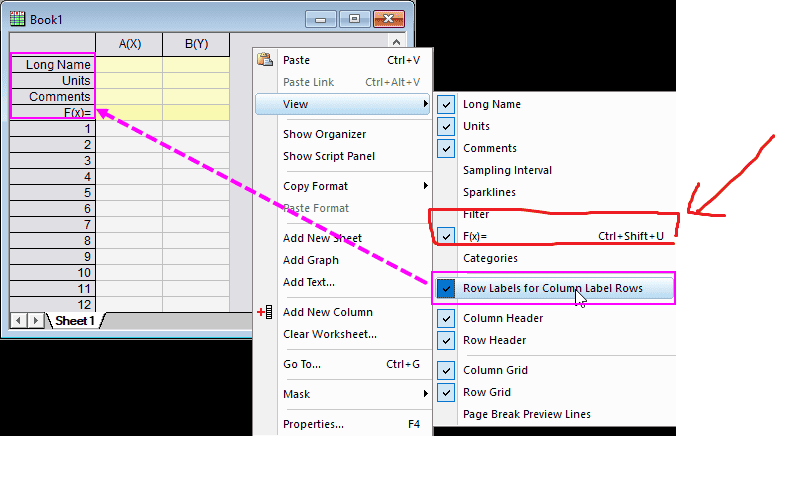
The discussion revolves around an issue with the Origin software where the F(x) row is not displayed. Participants explore potential solutions and troubleshooting steps related to software functionality.
Discussion Character
- Technical explanation, Debate/contested, Experimental/applied
Main Points Raised
- One participant states that there is no option available to display the F(x) row in their version of Origin software.
- Another participant suggests checking a keyboard shortcut mentioned on the Origin website to see if it resolves the issue.
- A later reply indicates that the keyboard shortcut did not work for them.
- One participant reports that installing a different version of the software (OriginPro 2016 SR0 b9.3.226) resolved the issue.
Areas of Agreement / Disagreement
Participants do not reach a consensus on the solution, as some suggest different approaches while others report varying experiences with the software.