Maxwell Ansoft and Circuit Editor

Click For Summary
SUMMARY

The forum discussion centers on issues encountered while simulating a switched reluctance motor (SRM) in Ansoft Maxwell 2D transient solution. Users report an error stating "Cannot find the matching inductor in the imported file" when attempting to use external wingdings in the Maxwell circuit editor. Solutions and troubleshooting steps for resolving this specific error are sought by participants in the discussion.

PREREQUISITES
  • Ansoft Maxwell 2D transient solution
  • Understanding of switched reluctance motor (SRM) simulations
  • Familiarity with circuit editor functionalities
  • Basic knowledge of inductors and their representation in simulation software
NEXT STEPS
  • Research troubleshooting techniques for Ansoft Maxwell error messages
  • Learn about the integration of external components in Ansoft Maxwell
  • Explore best practices for simulating switched reluctance motors
  • Investigate the specifications and requirements for wingdings in Maxwell circuit editor
USEFUL FOR

Engineers and designers working with Ansoft Maxwell, particularly those involved in simulating switched reluctance motors and troubleshooting circuit editor issues.

Renata_K
Hi Guys,

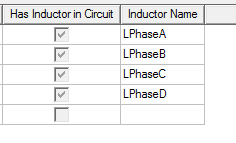
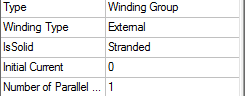
I'm simulating a SRM in Maxwell 2D transient solution and my wingdings are external but a group of them are not able to show in the maxwell circuit editor. I've got this error: Cannot find the matching inductor in the imported file.
Can someone help me with this?
upload_2017-7-7_14-22-35.png
upload_2017-7-7_14-23-26.png
upload_2017-7-7_14-22-47.png
 
Engineering news on Phys.org
facing the same problem, did you manage to solve that?
 

Similar threads

  • · Replies 2 ·
Replies
2
Views
5K
  • · Replies 4 ·
Replies
4
Views
5K
Replies
1
Views
2K
Replies
1
Views
5K
  • · Replies 1 ·
Replies
1
Views
4K
  • · Replies 4 ·
Replies
4
Views
4K
Replies
9
Views
8K
Replies
1
Views
8K
  • · Replies 2 ·
Replies
2
Views
8K
  • · Replies 2 ·
Replies
2
Views
4K